
Setting Rules in EMI Scanner
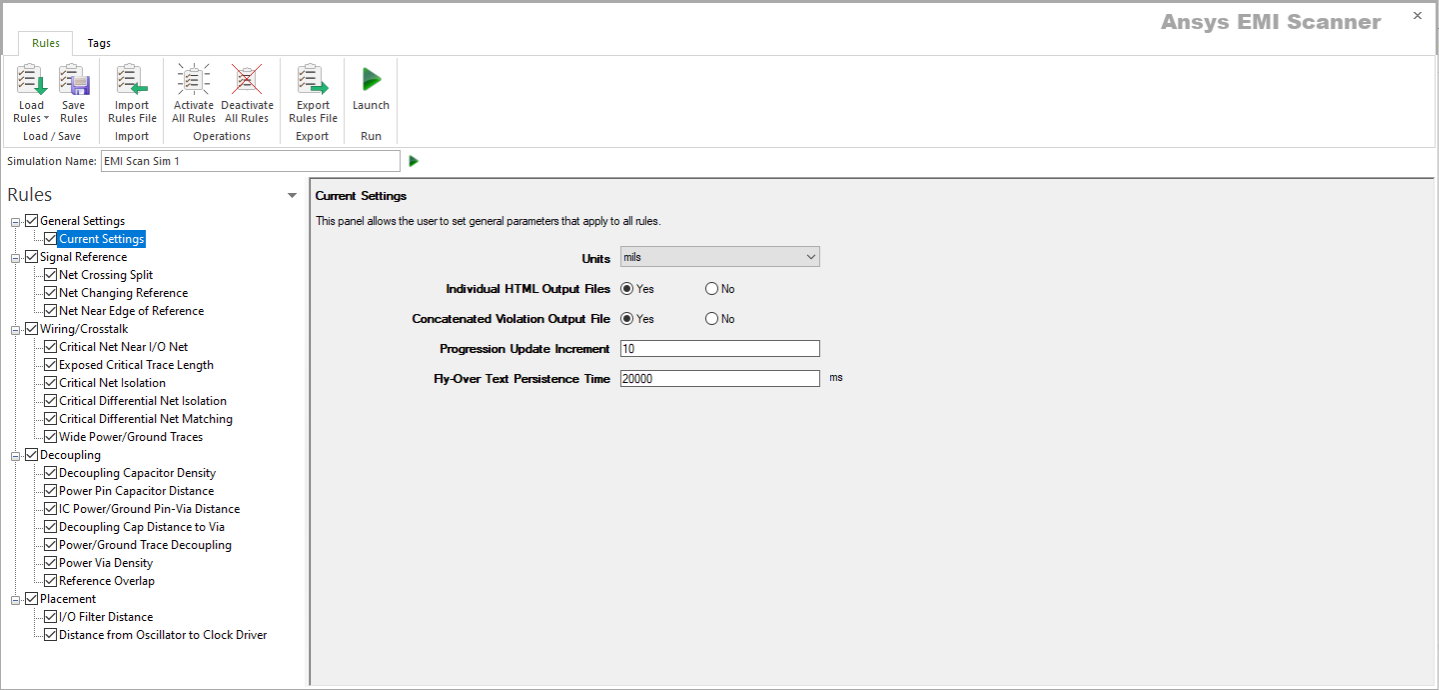
The EMI Scanner Rules tab contains the following buttons:
- Load Rules – allows you to select from a series of pre-defined rule sets to load into the Rules pane:
- Default EM Rules Profile – contains the basic rule set for analyzing electromagnetic interference.
- Default SI Rules Profile – contains the basic rule set for analyzing signal integrity.
- Default EM+SI Rules Profile – contains all rules from both the Default EM Rules Profile and the Default SI Rules Profile.
- Default Rules Profile (0 - 100MHz) – contains the recommended rule set for frequencies ranging from 0 - 100MHz.
- Default Rules Profile (100MHz - 500MHz) – contains the recommended rule set for frequencies ranging from 100 - 500MHz.
- Default Rules Profile (500MHz - 1000MHz) – contains the recommended rule set for frequencies ranging from 500 - 1000MHz.
- Default Rules Profile (1GHz+) – contains the recommended rule set for frequencies 1GHz and above.
- Save Rules – applies changes to the rule profile.
- Import Rules File – allows you to import rules via an XML file.
- Activate All Rules – selects all check boxes in the Rules pane.
- Deactivate All Rules – deselects all check boxes in the Rules pane.
- Export Rules File – allows you to export the current rule settings in XML format.
- Launch – begins the EMI scan.
To set rules for an EMI Scan:
- Use the Load Rules drop-down menu to select a pre-defined rules profile, or click Import Rules File.
The Rules pane updates to show all applicable rules for the selected profile.
- From the Rules pane, use the check boxes to activate and deactivate rules, as appropriate. You can also Activate All Rules or Deactivate All Rules.
- Change the General Settings, as well as settings for Signal Reference, Wiring/Crosstalk, Decoupling, Placement, Net Integrity, Via Integrity, and Power Integrity rules, as appropriate.