
HFSS 3D Layout Simulation Options
To define HFSS 3D Layout simulation options:
- Click Simulation > HFSS 3D Layout.
- Select any tab to specify solver settings:
The Simulation Setup window appears, on the General tab.
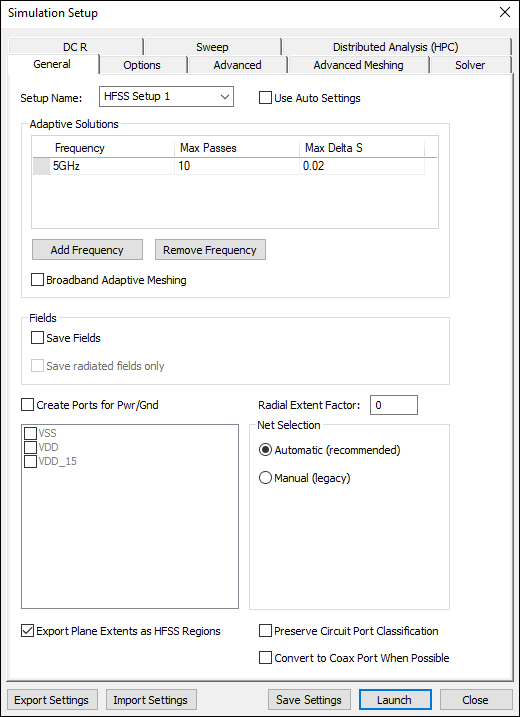
From any tab, you can click Export Settings to save the settings as an HFSS 3D Layout Settings File (*.dss), or click Import Settings to load settings from a previously saved file.