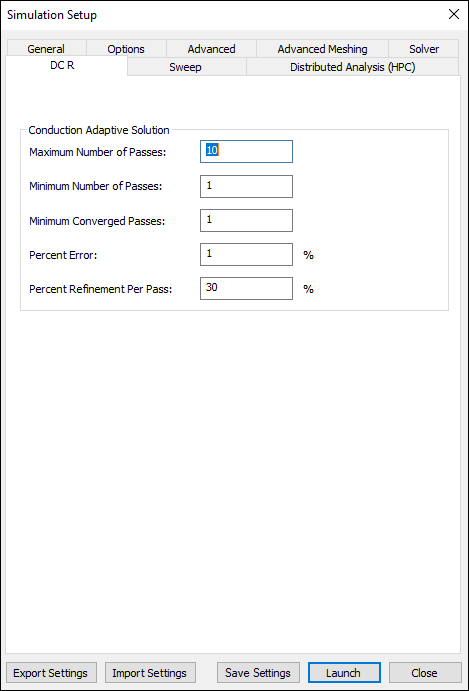
Defining HFSS 3D Layout DC R Options
To define HFSS 3D Layout options for simulation:
- Click Simulation > HFSS 3D Layout.
- Select the DC R tab.
- Enter the Solver Residual.
- Specify the Conduction Adaptive Solution options:
- Enter a value for the Maximum Refinement Per Pass. This determines how many tetrahedra are added at each iteration of the adaptive refinement process. The tetrahedra with the highest error will be refined. The value is a percentage.
- Enter a value for the Minimum Number of Passes that you would like HFSS to perform. This value is a stopping criterion for the adaptive solution; if the maximum number of passes has been completed, the adaptive analysis stops. If the maximum number of passes has not been completed, the adaptive analysis will continue unless the convergence criteria are reached.
- Enter a value for the Minimum Converged Passes. An adaptive analysis will not stop unless the minimum number of converged passes has been completed. The convergence criteria must be met for at least this number of passes before the adaptive analysis will stop.
- Enter a value for the Percent Error. This lets you control an appropriate solution accuracy. Smaller values produce more accurate (but slower) solutions; larger values produce less accurate (but faster) solutions.
- Enter a value for the Percent Refinement Per Pass. This value determines how many mesh elements are added at each iteration of the adaptive refinement process. The mesh element with the highest error are refined.
- Click OK.
The Simulation Setup window appears, with the General tab selected.