Defining HFSS 3D Layout Solver Options
To define HFSS 3D Layout options for simulation:
- Click Simulation > HFSS 3D Layout.
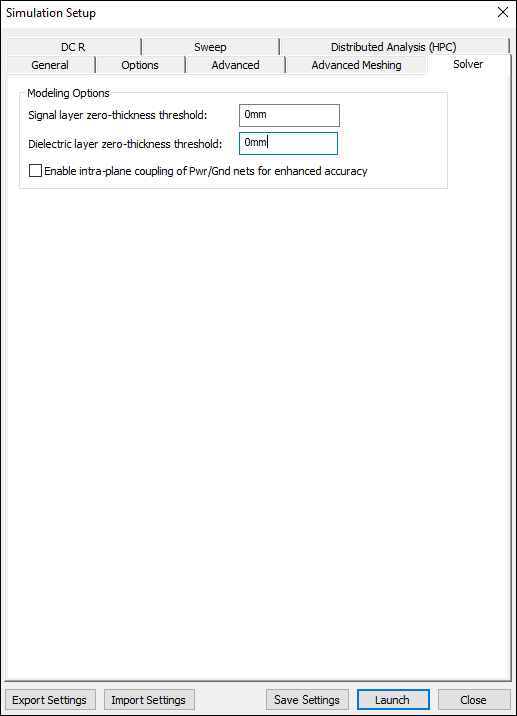
- Select the Solver tab.
- Enter a value for the Signal layers zero-thickness threshold. Negative signal layers in the design which are thinner than the given value are modeled as being infinitely thin in order to reduce simulation time.
- Enter a value for the Dielectric layer zero-thickness threshold. Dielectric layers in the design which are thinner than the given value are merged into an adjacent dielectric; material properties are accumulated using a weighted average.
- If appropriate, use the check box to Enable intra-plane coupling of Pwr/Gnd nets for enhanced accuracy.
- Click OK.
The Simulation Setup window appears, with the General tab selected.