
Network Data Explorer
The Network Data Explorer provides visualization, analysis, and manipulation tools for network data.
To access Network Data Explorer, select Tools > Network Data Explorer.
If you added a Frequency Sweep, right-click the sweep and select Network Data Explorer.
Accessing Network Data Explorer in this way loads sweep data.
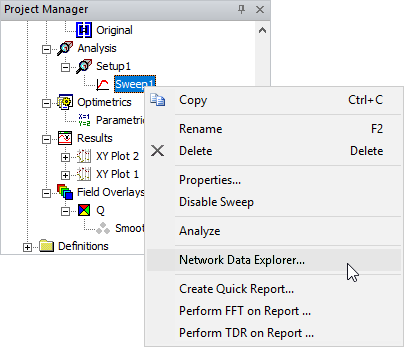
The Network Data Explorer window appears.
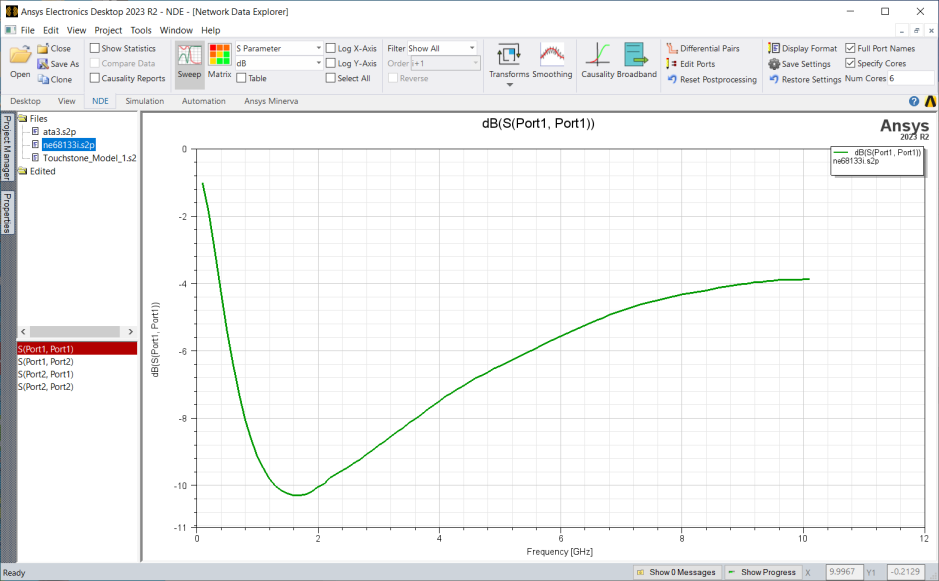
The topics for this section include:
Network Data Explorer Overview
Loading Data Into Network Data Explorer
Exporting Data from Network Data Explorer
Right-Click Context Menu Options
Viewing Data and Modifying the Display
Displaying Plot Traces from Multiple Data Sources
Displaying Mixed-Mode Parameters