
Smoothing
Follow this procedure to access data smoothing options.
- Click
 on the NDE ribbon. The Smoothing dialog box appears.
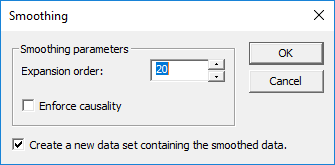
- The Smoothing Parameters area lets you choose the Expansion Order. This can be any discrete value between 1 and 150.
- If desired, select the Enforce Causality check box.
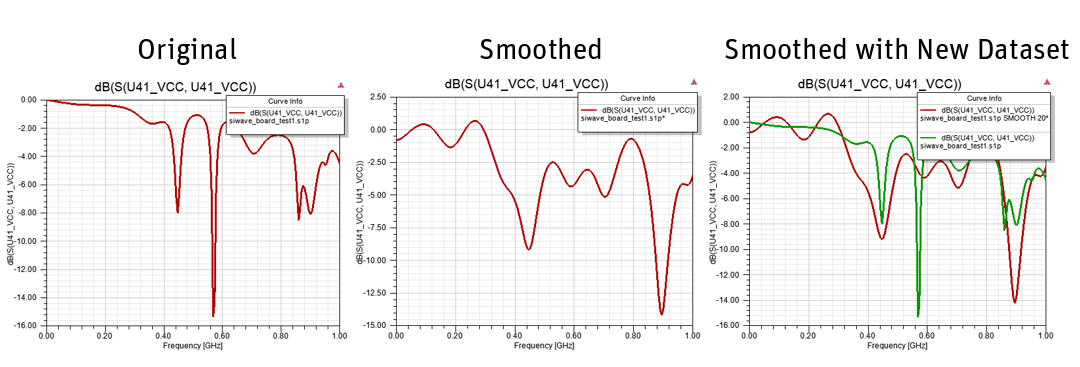
- If desired, select the Create a new data set containing the smoothed data check box. If selected, the smoothed data appears alongside the original data.
- Click OK.
-
The data view pane updates. The following image shows a plotted result with Create a new data set containing the smoothed data selected and cleared.
A least-squares polynomial fit of the specified order is used to interpolate new data points for the magnitude and phase components of the S-parameters.
- Left window size and Right window size control the number of data values collected on either side of the point to be interpolated. Note that these are point counts and not distances.
- Spline order can not exceed the total number of points sampled (that is, the sum of the two window sizes).