
Displaying Mixed-Mode Parameters Using Differential Pairs
Network Data Explorer displays mixed-mode parameters when differential pairs are both defined and activated.
To define differential pairs:
- Select existing ports.
- Open Network Data Explorer (Tools > Network Data Explorer).
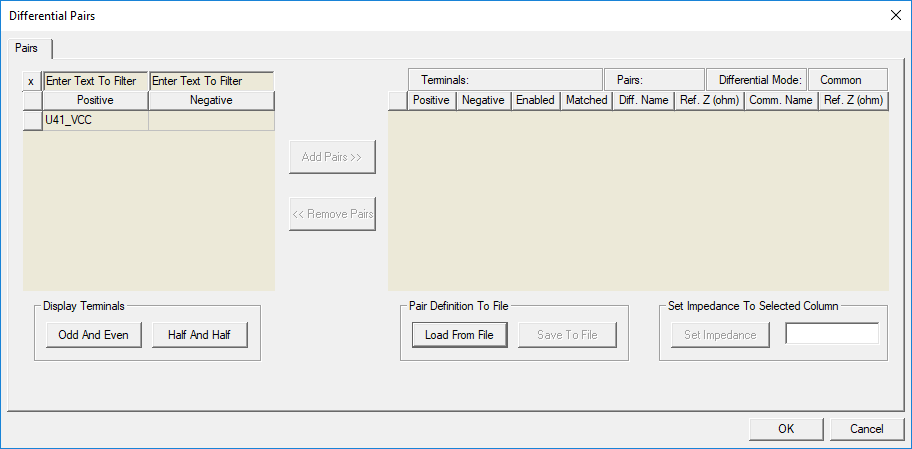
- On the NDE ribbon, select Differential Pairs.
- Select a pair from the list on the left and click Add Pairs.
- Click OK.
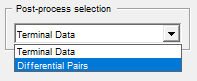
- Select Differential Pairs from the Post-process selection field to view mixed-mode parameters.

The Differential Pairs window appears.
Note: The Network Data Explorer Edit menu option Reset All Port Properties deactivates all pairs, but it does not clear the differential pair settings. And since Reset All Port Properties also clears reference impedances and terminations, it should not be used when the user simply wishes to disable all differential pairs. To disable all differential pairs, click the Active column header in the Differential Pairs dialog box to deselect all pairs.