Computing Resonant Modes
PCB or IC packages that contain power/ground plane structures can—at certain frequencies—exhibit resonances in the cavities formed between power and ground planes. Resonant mode analysis solves for these frequency-dependent voltage swings between layers of a PCB or multi-layer package. The resonant frequencies correspond to peaks in the impedance response of the PCB or package. The best way to view the natural resonances (and to what extent electromagnetic energy sources excite them) is to model the entire structure. See: Resonant Modes.
To compute resonant modes in SIwave:
- Click Simulation.
- From the SIwave area, click Compute Resonant Modes.
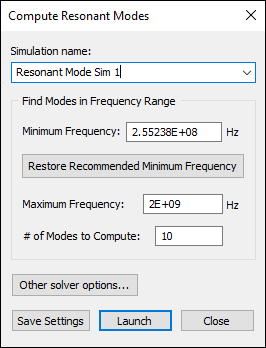
- From the Simulation name field, enter a name for the simulation.
- From the Find Modes in Frequency Range area, enter a value for the Minimum Frequency.
A recommended value is already populated for you. If you change the value and want to return to the recommended value, click Restore Recommended Minimum Frequency.
This is calculated using:

In this formula:
- L is the diagonal distance (in meters) of the geometry bounding box
- c is the speed of light (in m/s)
- maxPermittivity is the maximum relative permittivity of the dielectric layers in the stackup
- If appropriate, enter a value for the Maximum Frequency.
- Specify the #
of Modes to compute. The modes indicate the frequencies at
which the cavity responds very strongly. This determines the voltage
pattern between the top and bottom planes.
Note:
If both the Maximum Frequency and the # of Modes to compute are given values, the Eigen solver terminates when either of the two conditions is met.
- To change SIwave simulation options, click Other solver options.
- Click Save Settings to keep your settings.
- Click Launch to begin computing resonant nodes.
The Compute Resonant Modes window appears.
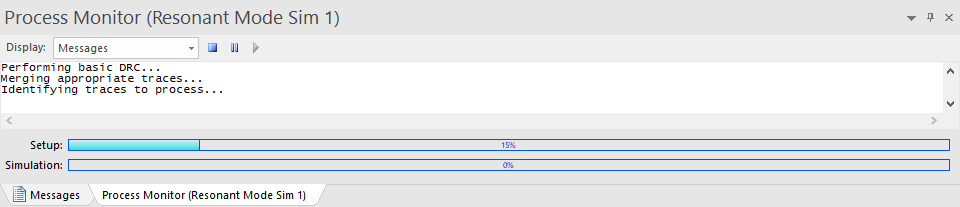
The Messages window opens a Process Monitor tab that displays the progress.