Check the mesh quality.
> Pre-Mesh Quality Histograms

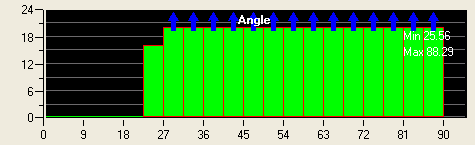
Select Angle in the Criterion drop-down list and click .
You can see the improved mesh quality in the histogram (Figure 64: Histogram of Angle).
Select Determinant 2×2×2 in the Criterion drop-down list and click .
Save the mesh in unstructured format.
 > >
> > This saves the .uns file as the mesh in the working directory and automatically loads it.
Save the project file (
3D-pipe-geometry-final.prj).>
Exit the current session.
>