Opening Icepak Classic Projects
You can migrate steady-state and transient projects from the Icepak Classic application to the Electronics Desktop. Generate a .tzr file in Icepak Classic in order to convert it into an Electronics Desktop Icepak design.
Object priorities, material settings, mesh settings, parametric trials, point and surface monitors, solver settings, post-processing objects, summary reports are converted in addition to Icepak Classic objects.
See EC XML and Icepak Classic Project Conversion Limitations for more information on what is not currently supported.
Icepak Classic objects are composed of both geometry and thermal and fluid properties. When opening a .tzr file in the Electronics Desktop, Icepak classic objects are converted into geometry in the history tree and 3D modeler window, and thermal properties are converted into boundary conditions, which are displayed in the Project Manager and assigned to the corresponding geometry in the 3D Modeler window.
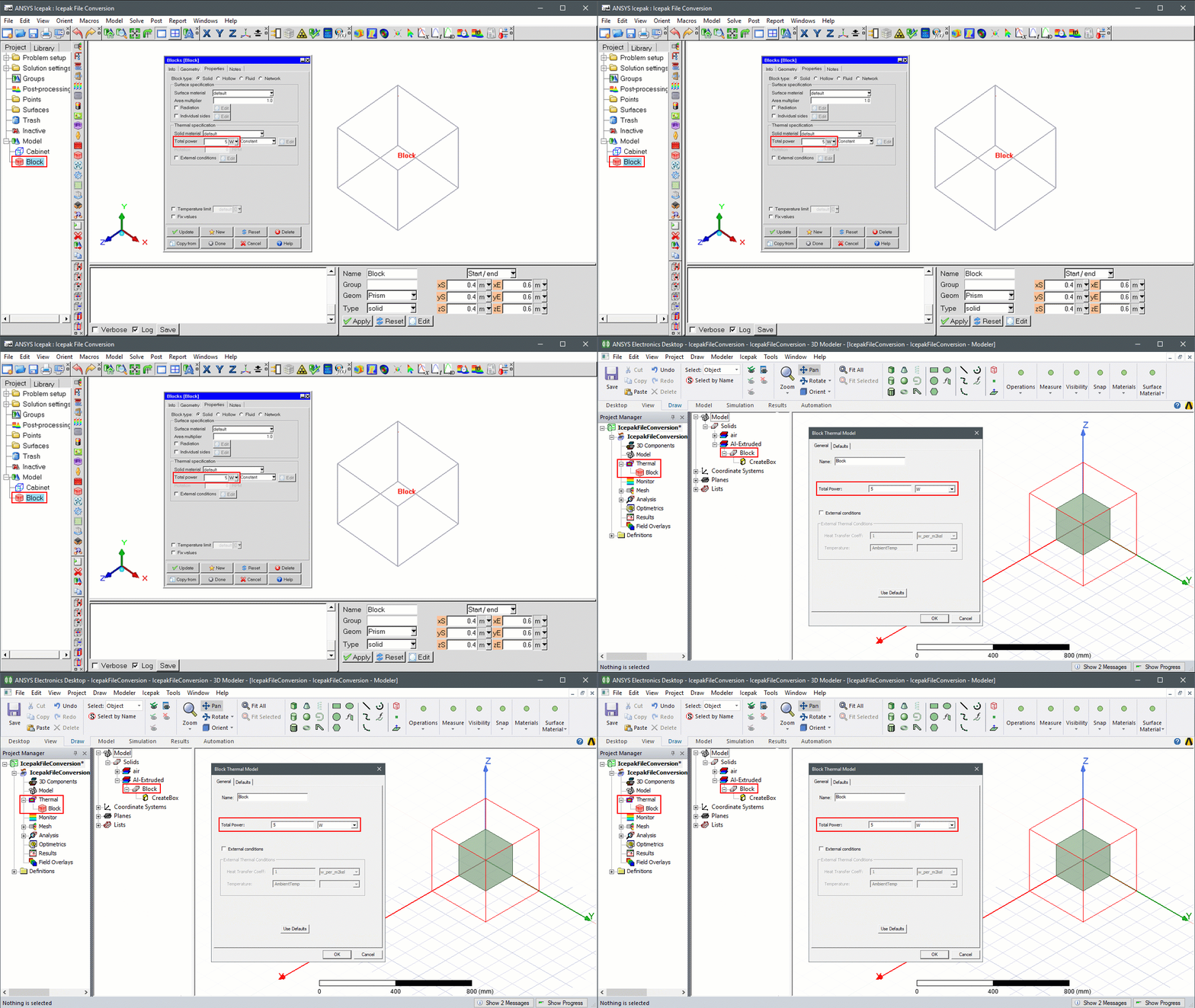
Icepak Classic object geometry is converted into geometry in the Electronics Desktop based on geometry settings in Icepak Classic. The following sections detail the conversion of Icepak Classic object properties into Icepak native components and/or thermal boundary conditions.
- Block
- Network
- PCB
- Wall
- Plate
- Heatsink
- Fan
- Grille
- Source
- Enclosure
- Opening
- Resistance
- Cabinet
- Parametric Trials
Inactive Objects
Inactive objects are not imported into the Electronics Desktop unless the following environment variable is defined:
TZRImport_Inactive_Items
Set the definition of the variable to 1.
Linux System Configuration
On Linux systems, if you encounter the following error messages when attempting to open an Icepak Classic project, first check the system environmental variables and ensure that any python-related variables that specify path settings are disabled. If there are no python-related environmental variables defined, navigate to /usr/bin/ to locate the pre-installed version of python and rename it.
[error] The type initializer for 'IronPython.Modules.PythonNT' threw an exception. ---- Scripting Engine Initialization
[error] TypeInitializationException: The type initializer for 'IronPython.Modules.PythonNT' threw an exception. In file "/tmp/fileMOOvjk2198615392889450/aedt.py", line 1 ---- While executing script: /tmp/fileMOOvjk2198615392889450/aedt.py
Accelerate Classic Icepak File Import
To improve the TZR import speed, you can use non-graphical batch execution to import the model in AEDT.
Export Classic Icepak File
- Open Classic Icepak.
- From the File menu, select Export > Ansys Electronics Desktop Script.
- In the Select file for Ansys Electronics Desktop script dialog box, browse to a save location and click Save. A python script file is generated in the save location.
Import a Classic Icepak File
- In Windows, open the Environment Variables dialog box and create the following variable:
ANSYSEM_FEATURE_SF6694_NON_GRAPHICAL_COMMAND_EXECUTION_ENABLE - Define the variable value as 1.
- Open a command prompt and run the following command:
C:\Program Files\AnsysEM\v242\Win64\ansysedt.exe -RunScriptAndExit D:\Users\username\aedt.py -LogFile D:\Users\username\AEDT_Message_Manager.log -Ng
where D:\Users\username\aedt.py is the file path to the location of the previously generated python script file.
Import Multiple Classic Icepak Files with Non-Graphical Batch Converter
- Open a command prompt and run the following command:
cd to C:\Program Files\AnsysEM\v242\Win64\syslib\TZRBatchConverter
- Run the following command:
"C:\Program Files\AnsysEM\v242\Win64\common\commonfiles\CPython\3_7\winx64\Release\python\python.exe" tzr_converter.py -t D:\Users\tzrs -s D:\Users\aedtfiles -a "C:\Program Files\AnsysEM\v242\Win64\ansysedt.exe" -p 4
where D:\Users\tzrs is the file path to the location of folder containing the Classic Icepak file(s).
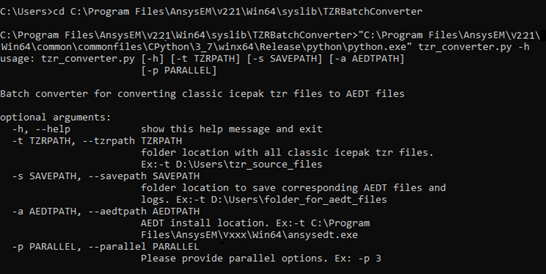
Optionally, to view argument definitions, enter the following command after step 1:
"C:\Program Files\AnsysEM\v242\Win64\common\commonfiles\CPython\3_7\winx64\Release\python\python.exe" tzr_converter.py -h