
The Phi Plus Mesher
Phi Plus is a multi-domain parallel mesher, available in HFSS 3D Layout designs. This advanced meshing technology is capable of rapidly generating an initial mesh with acceleration from high performance computing (HPC). Complex models are decomposed into smaller subdomains and meshed in parallel using multiple cores. Therefore, to use Phi Plus, specify multiple cores in the HPC options.
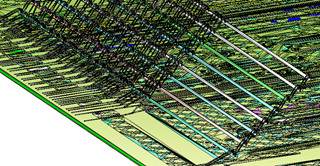
The Phi mesher in HFSS 3D Layout is a special-purpose fast mesher designed for purely layered structures. In contrast, Phi Plus works with all types of layout models, particularly those containing bondwires, solder balls, or 3D Components (MCAD). A typical complex layout package with bondwires and solder balls is shown in the following figure:
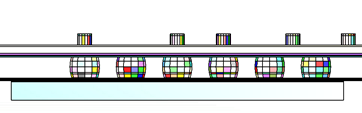
Phi Plus is particularly effective in meshing models where multiple bondwires overlap at the ends. The advanced union-simulated technology in Phi Plus creates a clean and accurate mesh for simulation:
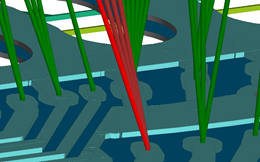
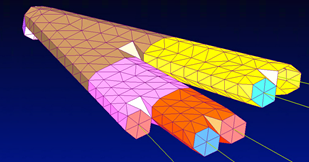
Phi Plus efficiently creates complete meshes for assemblies of layout and 3D MCAD components:
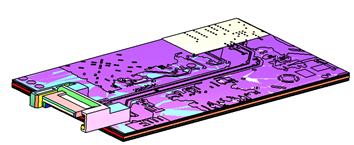
The advanced hybrid mesh technology and parallel meshing provides extremely fast, uniform, and high quality meshes that enhance solver performance. Compared to the traditional Classic mesh, Phi Plus is several orders of magnitude faster and equivalent in speed to the Phi mesher.
Selecting the Phi Plus Mesher
Complete these steps to select the Phi Plus.
-
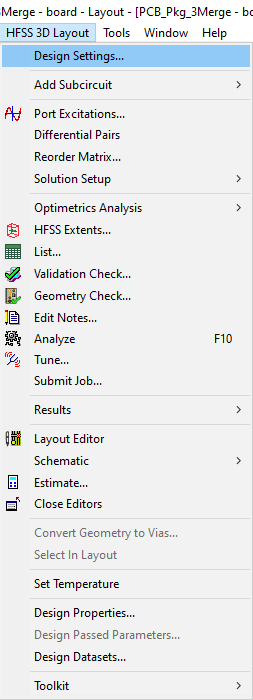
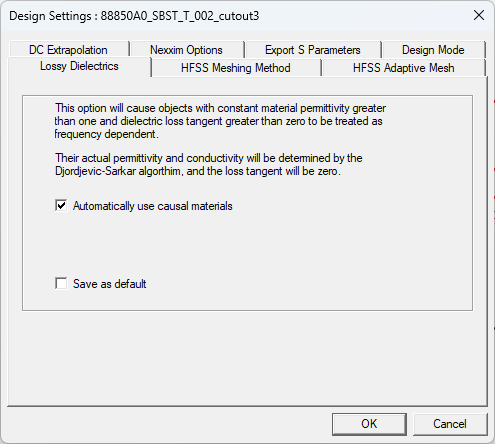
From the HFSS 3D Layout menu, select Design Settings to open the Design Settings window.
-
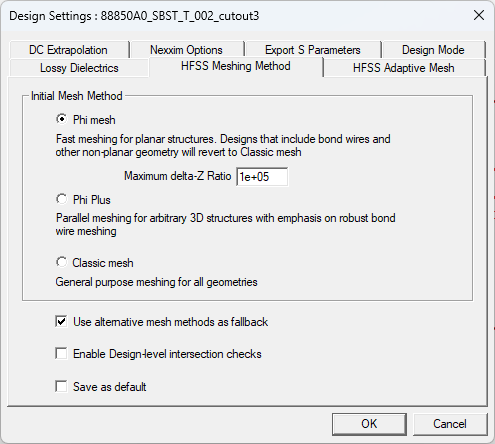
Click on the HFSS Meshing Method tab and choose Phi Plus on the Initial Mesh Method area.
-
Click OK to close the Design Settings window.
The procedure is complete.