Meshing Method
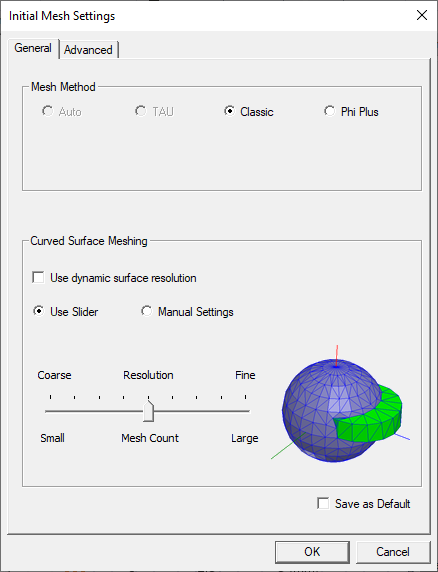
HFSS 3D Layout has three meshers available to generate the initial
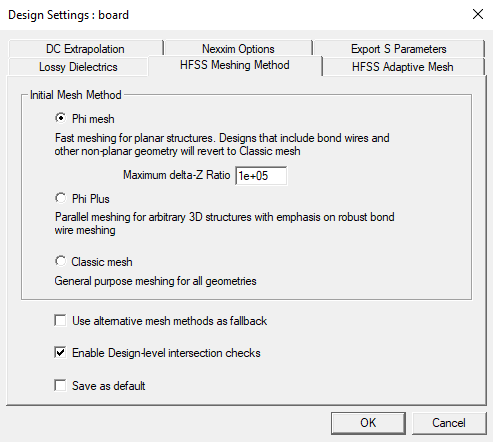
mesh: the Phi, Phi Plus, and Classic meshers.
Phi
mesh
is an advanced layout-based meshing technology that
can produce meshes rapidly and generate fast and accurate results. It is used for planar structures.
Phi mesher also includes the Maximum delta-Z Ratio field. Typically, if Phi mesher is selected, a validation check will analyze all combinations of Z-elevation to determine the delta-Z ratio (i.e., the minimum distance between the model's unique Z-elevations). If the ratio is greater than the maximum delta-Z ratio, the validation check fails (although the model will still proceed through meshing). Entering a different value in the Maximum delta-Z Ratio field can allow validation to proceed. Refer to Meshing With the Maximum Delta-Z Ratio.
Phi Plus is a multi-domain parallel mesher that works with all types of layout models, particularly those containing bondwires, solder balls, or 3D Components (MCAD).
Classic
mesh
uses
a Bowyer algorithm to create compact meshes for the model with very large
length scales. It represents the model very accurately.
Select Phi mesh, Phi Plus, or Classic mesh as desired. If
Use alternative mesh methods as fallback is checked, HFSS 3D Layout uses the selected mesher, if possible, but attempts to use the other meshers if they are more appropriate, based on analysis of the geometry. Depending
on the model, Classic mesh
may converge using fewer resources whereas Phi or Phi Plus
may converge faster. Ansys recommends selecting Auto since HFSS 3D Layout automatically
determines the correct choice of the mesher for a given geometry.
Note:
If Use alternative mesh methods as fallback is checked, Phi mesh may not run a validation check on designs that contain certain features (e.g., MCAD components, 3D structures, designs with etching enabled).