
Selecting Objects by Name or Material
- Make sure that the modeler is in the Object selection mode by pressing the O shortcut key or by choosing Object from the Select drop-down menu on the Draw or Model ribbon tab. Then, proceed to one of the following two procedures.
Selection by Object Name
- Access the Select Object dialog box using one of the following three methods:
- From the menu bar, click Edit> Select Objects>
 By Name.
 - On the Draw or Model ribbon tab, click Select by Name.
- Right-click in the Modeler window and choose Select Objects> By Name from the shortcut menu.
The Select Object dialog box appears, populated with a list of the objects in the model, by name:
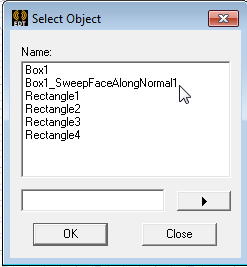
- From the menu bar, click Edit> Select Objects>
- In the Name list, click the name of the object you want to select. Use the Ctrl key to select more than one.
Alternatively, type the name of an object in the empty text box, click the arrow to the right of the text box, and choose Select or Deselect.
- Click OK.
The object or objects specified are selected.
Selection by Object Material
- Access the Select Object dialog box using one of the following two methods:
- From the menu bar, click Edit> Select Objects> By Material.
- Right-click in the Modeler window and choose Select Objects> By Material from the shortcut menu.
The Select Object dialog box appears, populated with a list of the materials comprising the model objects:
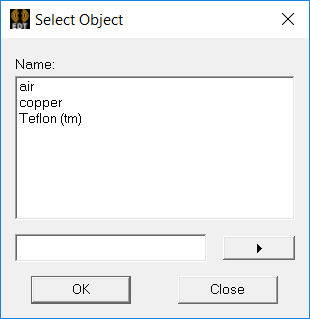
- In the Name list, click the material of the object or objects you want to select. Use the Ctrl key to select more than one material.
Alternatively, type the name of a material in the empty text box, click the arrow to the right of the text box, and choose Select or Deselect.
- Click OK.