


You are now ready to run a Sherlock Solder Fatigue analysis using the temperature maps generated from the AEDT application.
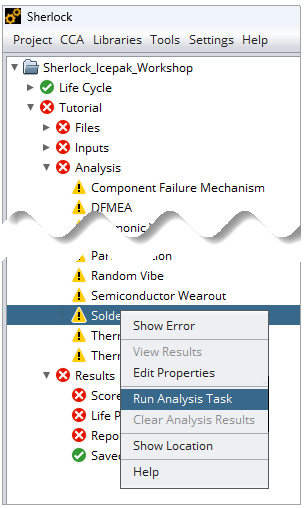
Right-click Solder Fatigue under Analysis in the Sherlock Project Tree. Click Run Analysis Task in the context menu. This opens the Solder Fatigue (Thermal Cycling) Properties window.
In the Solder Fatigue (Thermal Cycling) Properties window, configure the analysis as shown below:
Select Lead-Free (SAC305) for the Solder Material.
Set Part Temp Rise to 0°C.
Enable Apply Min Temp Rise.
Enable Part Validation.
Under Thermal Events, select Phase 1 Thermal Event.
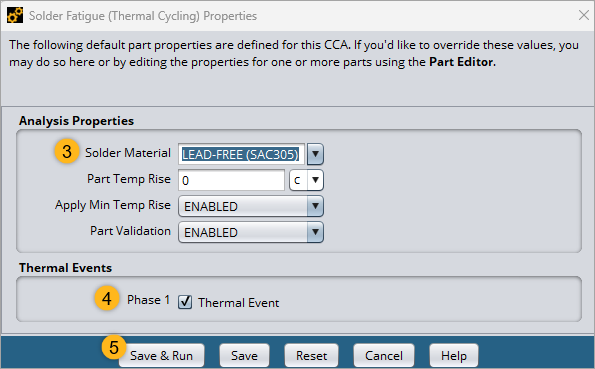
Click Save & Run.
The analysis takes a few moments to complete. When completed, continue to the next section to learn how to review the Solder Fatigue analysis results.