


The first step in troubleshooting is to examine the available information output from LS-DYNA in the files shown in the following figure.
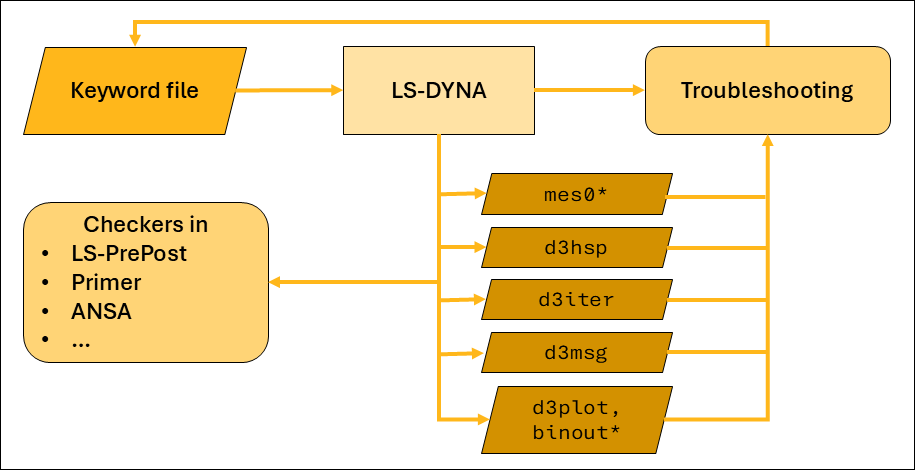
Inspect the d3hsp and the mes0* files using a text editor (such as Notepad++, NEdit, or a similar application) and look for warning or error messages. The following is an example of a warning message indicating the presence of rigid body modes in the model.
*** Warning 60124 (IMP+124)
        XX negative eigenvalues detected
The following information message indicates that the AUTOSPC
functionality is active, probably also due to rigid body modes in a static model.
AUTOSPC CONSTRAINTS summary information
        AUTOSPC tolerance 1.000E-08
        no. imposed on translation modes 0
        no. imposed on rotational modes 0
        no. imposed on rigid body translation modes 1
        no. imposed on rigid body rotational modes 0
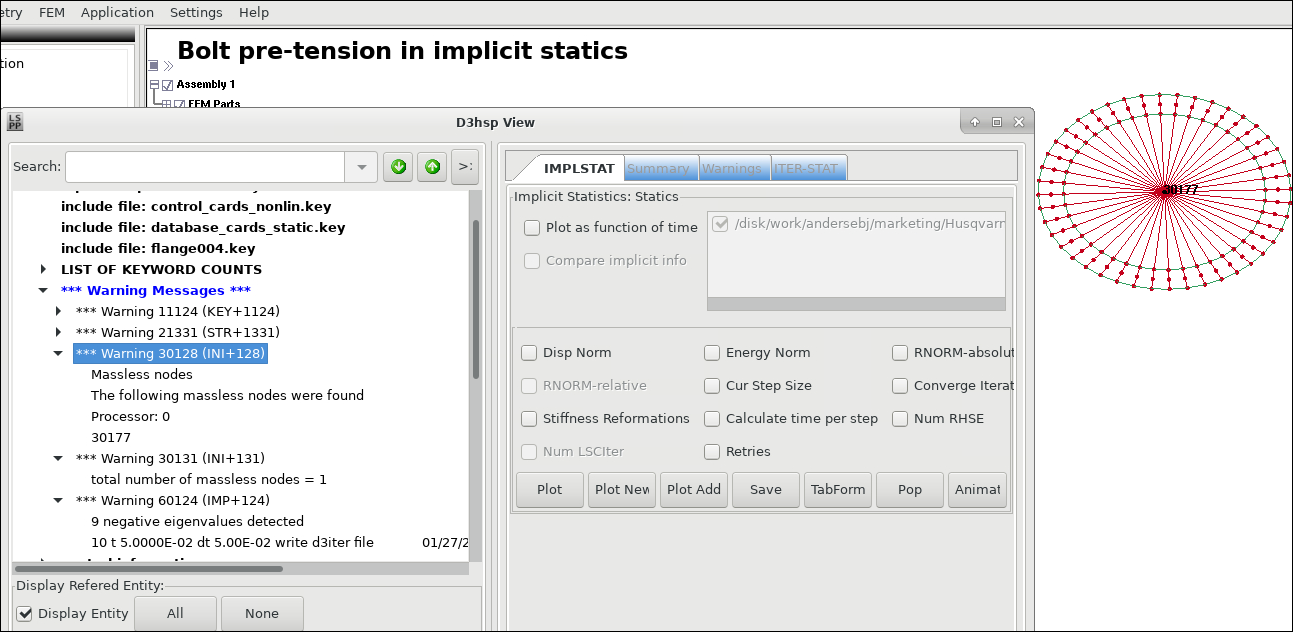
Information on errors and warnings can also be reviewed using LS-PrePost and the D3hsp View tool, which is accessible from the main menu > . The tool allows you to highlight model entities that cause warnings or errors in the 3D model (see the following figure). You can also highlight directly on the 3D model some of the entities causing warnings, in this case a massless node.
The mes0* files also include Mortar contact data regarding penetrations, active segment counts, and so forth that are printed before each implicit time step starts. Monitoring this information can indicate if convergence problems are related to contacts. Information regarding evolution of residual norm and progress of iterations are output in the d3hsp file, with additional information regarding line search also in the mes0* files (refer to Figure 11.2: Examples of convergence histories).
The d3iter binary file (for 3D visualization in LS-PrePost) shows how the model deforms during the nonlinear iterations. It can provide useful information on (unexpected) deformations as likely causes of non-convergence, such as parts "flying away" due to rigid body modes or severe deformations due to inconsistent use of unit systems. Of course, looking at d3plot files from previous converged steps can also provide hints on what may be causing convergence problems in the following steps.
The d3msg file is output after termination and contains more detailed explanations for some warning and error messages. The information in the d3msg file could contain fictious IDs and the names of entities.