


You can user this tab to edit the parameters and dimensions of the Rotor.
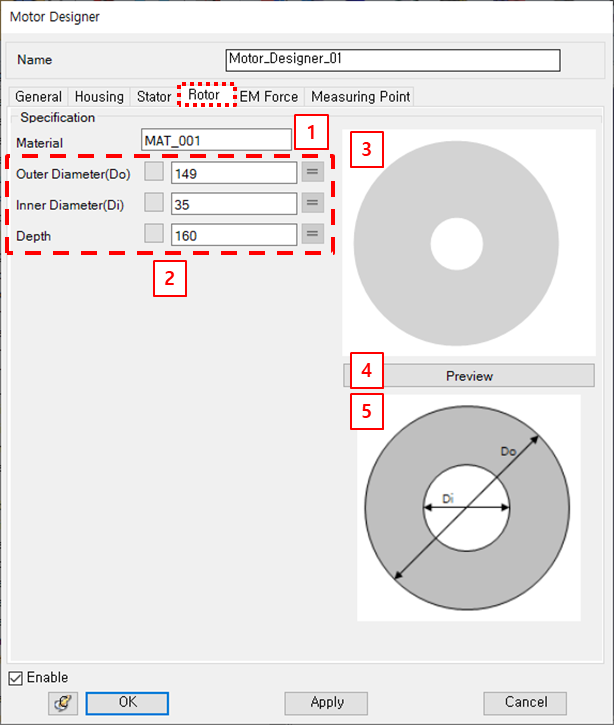
Figure 14.351: Parameters in the Motor Designer Rotor tab
| Parameter | Description | Dimension |
| 1. Material | Use to set the material property. | N/A |
| 2. Rotor Dimensions | Use to set the dimensions of the rotor to create 3D CAD. | N/A |
| 3. Preview Window | Use to show the rotor in 2D. | N/A |
| 4. Preview | Use to update the dimensions. | N/A |
| 5. Specification | Use to check the rotor dimensions definition. | N/A |