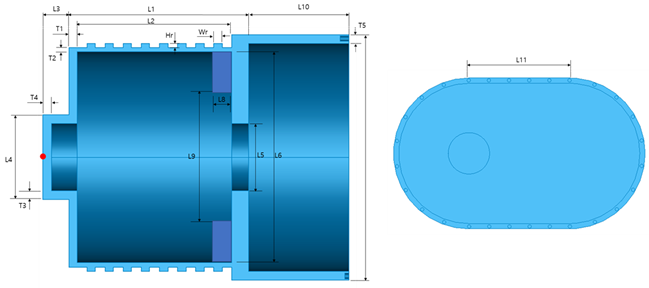
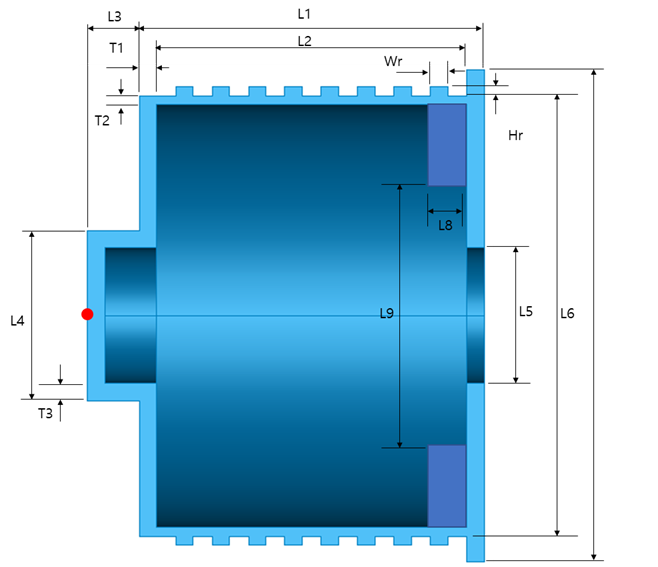
You can edit the parameters and dimensions of the motor housing in this tab.
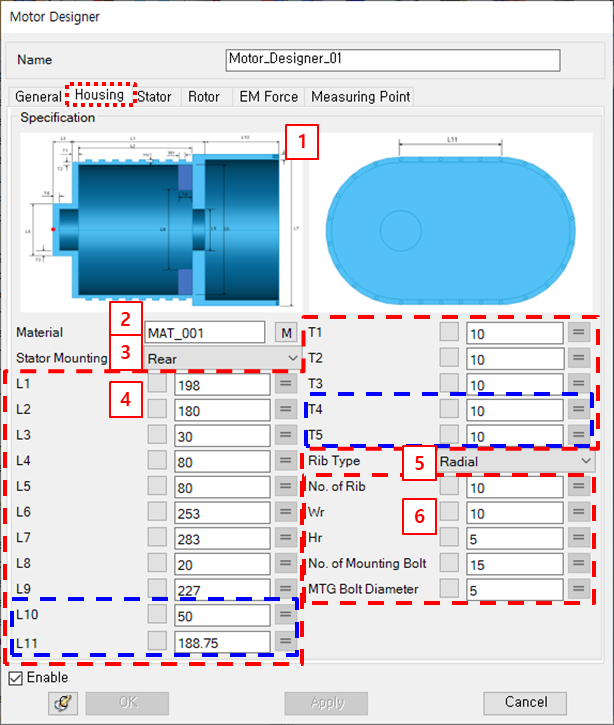
Figure 14.344: Parameters in the Motor Designer Housing tab
| Parameter | Description | Dimension |
| 1. Specification | Use to check the definition of housing dimensions. | N/A |
| 2. Material | Use to set the material property. | N/A |
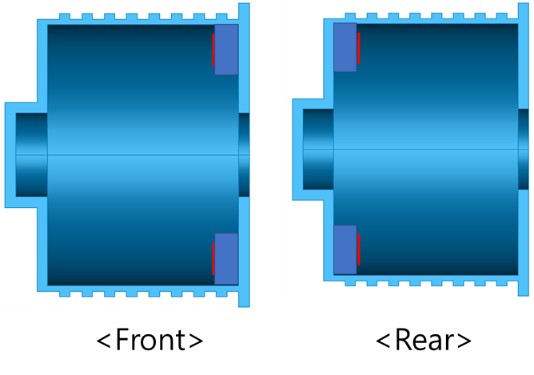
| 3. Stator Mounting Dir |
Use to set the stator mounting direction. This is used when the Stator Mount Type is set to Bolting. The types of stator mounting that can be selected are as follows. - Front Type - Rear Type If you select Front Type, RBEs for fixing the stator are created on the surface in the direction of rotation. If you select Rear Type, RBEs for fixing the stator are created on the surface in the opposite direction to rotation.
| N/A |
| 4. Housing Dimensions | Use to set the dimensions of the housing to create 3D CAD. If you select the Housing Type as Separated Type, the L10, L11, T4, and T5 fields are disabled. | N/A |
| 5. Rib Type |
Use to set the rib type. The types of rib that can be selected are as follows. - Radial Type - Axial Type - Crossed Type
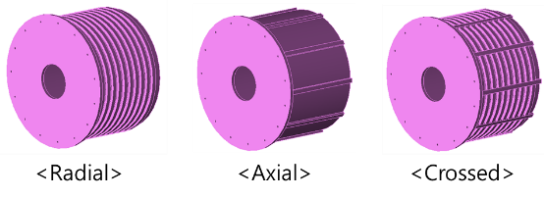
| N/A |
| 6. Rib Dimensions | Use to set the rib dimensions to create 3D CAD. | N/A |