> Pre-Mesh Params  > Update Sizes
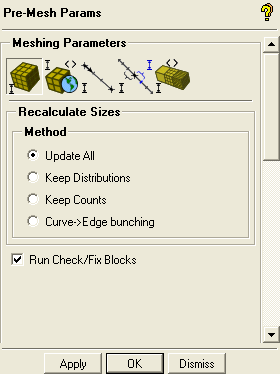
Retain the selection of Update All in the Method list.
Note: This will automatically determine the number of nodes on the edges from the mesh sizes set on the curves.
Select Run Check/Fix Blocks to check for mesh problems automatically and repair them if possible.
Click .
Enable Pre-Mesh.
 >
> The Mesh dialog will appear, asking if you want to recompute the mesh.
Click in the Mesh dialog to compute the initial mesh.
Disable Vertices and Edges.
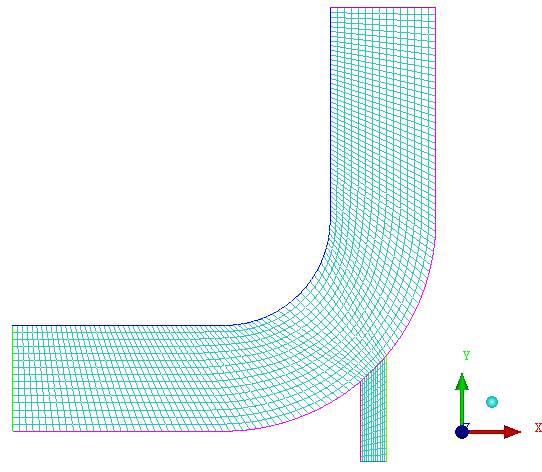
> > The initial mesh is shown in Figure 13: Initial Mesh.
Note: The number of elements in the initial mesh is sensitive to exact vertex placement (longest edge length in an index divided by the maximum size found along that index). Hence, your mesh may differ slightly from the mesh shown in Figure 13: Initial Mesh.