


In this step, you will set mesh parameters (sizes) on the geometry (curves in this 2D case). This is done at the geometry level and can be done before or after the blocking.
> Curve Mesh Setup 
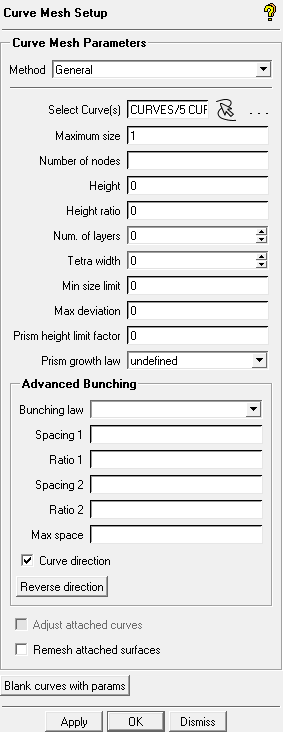
Click
 (Select curve(s)).
The Select geometry toolbar will appear.
Click
 (Select all appropriate visible objects) or enter
 v(for visible) in the display window.Enter
1for Maximum size.Maximum size determines the length of the edge segments on the curve (or surface for 3D).
Height determines the length of the edge of the first layer normal to the curve.
Height ratio determines the normal heights of the subsequent layers.
Note: In this case, height and ratio are determined by the perpendicular curves whose maximum size will override any height or ratio settings.
Retain the default settings for all other parameters and click .