
The Twin Builder Desktop
The Twin Builder desktop consists of a menu bar, a status bar, and several windows,. The illustration below shows the windows and menus that are displayed for a typical Twin Builder design. The desktop changes, depending on the type of project, and on the window that is active in the Design Area. For example, the illustration below shows a Schematic Editor Window in the Design Area.
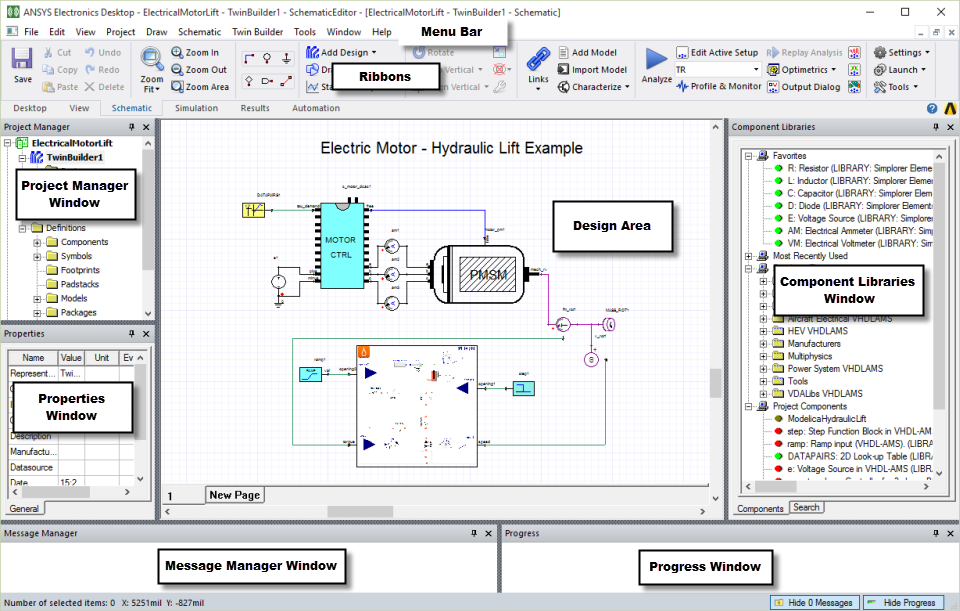
This section describes the following desktop features: