
Properties Window
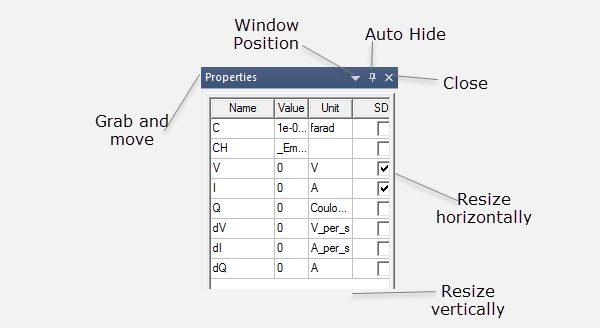
The Properties window displays the attributes of an item selected in the Project tree (such as a design, report, or analysis setup) or in the schematic editor. The Properties window lets you edit the selected item’s properties. The specific properties, and your ability to edit them in the Properties window, will vary depending on the type of item selected. The tabs available in the Properties window vary depending on the selection.
For example, the Properties window for components can have up to five tabs:
You can move and size the Properties window as needed. You can also dock it to any edge of the Twin Builder desktop.
|
Hints |
|
The Show advanced property data check box on the Schematic Editor Options: General tab controls the display of less often used tabs for components, ports and nets.