
3D Component Library
The 3D Modeler lets you access predefined 3D component
libraries
- Geometry (objects and coordinate systems)
- Design data (boundaries, excitations and mesh operations)
- Material assignment and definition for components
- Component parameter, including variables used by geometries, design data, and material properties
- Optional logo or icon image to display with components in the modeler window
- Optional encryption with password definition or internal key as a password
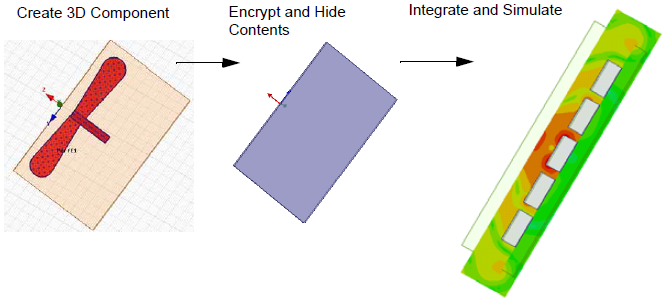
3D Component Libraries may be included as part of Electronics Desktop, downloaded from third-party vendors, or created from scratch.
The ability to create components from models lets you
easily share and reuse components. You can add components to a library
and share components with other users. Once you insert a component into
the target design, you can directly manipulate whole components
The documentation includes the following sections:
Creating a 3D Component from an Existing Model
Replace Selection with 3D Component
Layout Component in HFSS 3D (Beta)
Inserting a Component into a Design
Using the Component Libraries Window
Viewing Properties of 3D ComponentsViewing
3D Components in the Project Manager Window
3D Components in the History Tree
Editing 3D Component Properties
Editing a 3D Component Definition
Update 3D Component Definition
Mesh Assembly for Modal FE-BI and metallic IE Region Components
Additional Show, Show Only, Hide and Fit features, helpful in working with 3D components are described here:
Fit All Objects in a View Window.
Fit Selected objects in a View Window.