
Reduce Matrix Operations
SIwave provides a subset of the Reduce Matrix operations available in Electronics Desktop, including the ability to ground nets and set others as the return path. Using these operations, SIwave can generate SPICE netlists modeling the behavior of groups of nets within the package.
To access Reduce Matrix operations:
- Set up and run a CPA RLGC simulation.
- From the Results window, right-click the simulation results and select Reduce Matrix.
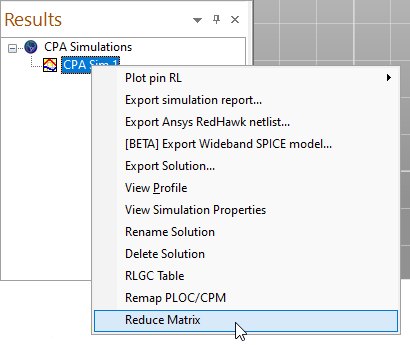
An empty Reduce Matrix window appears.
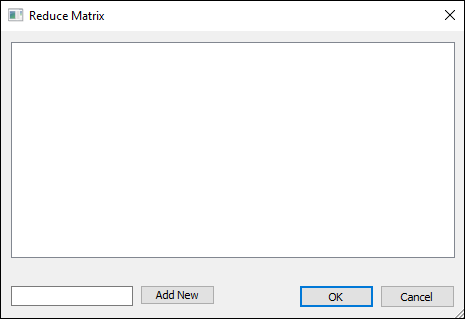
- From the blank field at the bottom, type a name for the matrix reduction and click Add New.
The new matrix reduction appears in the list. Multiple matrix reductions can be added.
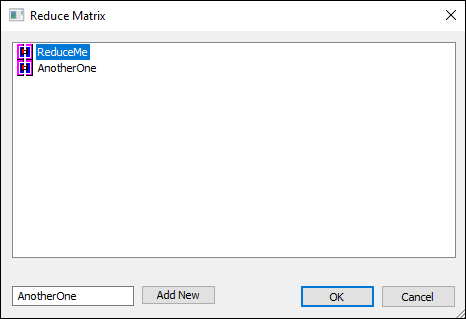
- Right-click a matrix reduction and select from the menu:
- Export Solution – exports a SPICE netlist that takes into account any Ground Net or Return Path operations applied.
- Ground Net – launches the Reduce Matrix - Ground Net window, which allows you to ground nets.
- Return Path – launches the Reduce Matrix - Return Path window, which allows you to set nets as the return path.
- Delete – deletes the operation from the list.
- Specify Ground Net or Return Path settings, as described below.
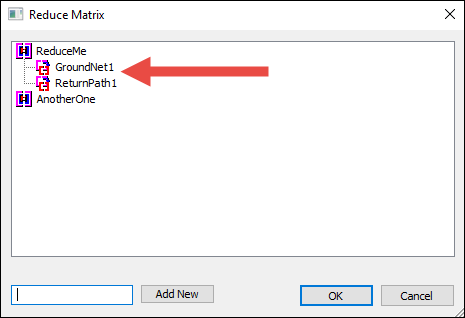
Added operations appear beneath the matrix reduction:
- Right-click the matrix reduction and select Export Solution.
The Export Solution window appears.
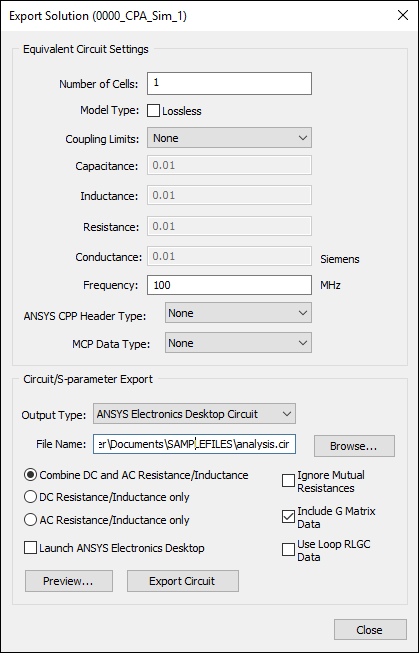
- Click Preview to view the netlist. If the preview appears to be correct, click Export Circuit. See: Exporting CPA RLGC Simulation Results.
- Click OK to close the window.
Specifying Ground Net
Launch the Reduce Matrix - Ground Net window.
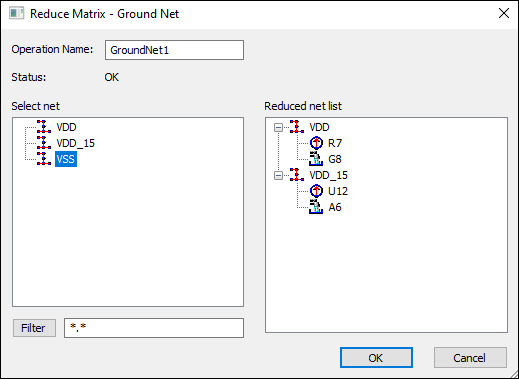
From the Select Net list, click a net to ground it. The net disappears from the Reduced Net List on the right.
If appropriate, you can filter the Select Net list by entering a regular expression in the blank field and clicking Filter.
|
* |
Matches any sequence of characters. For example, net* selects objects net_1a, net_1b, netLength. |
|
? |
Matches any character. For example, net_? selects objects net_1, net_2, net_a, net_b. |
To restore the full list, type an asterisk (*) and click Filter.
Click OK to close the window.
Specifying Return Path
Launch the Reduce Matrix - Return Path window.
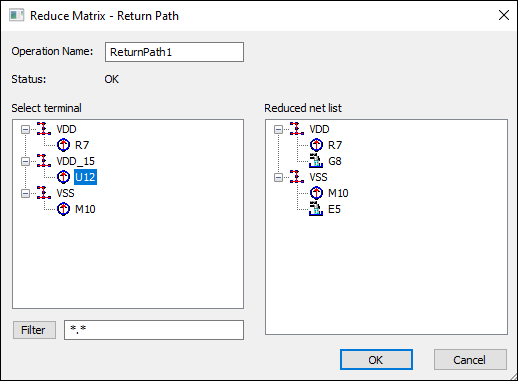
From the Select Terminal list, click a net to specify the return path. The net disappears from the Reduced Net List on the right.
If appropriate, you can filter the Select Net list by entering a regular expression in the blank field and clicking Filter.
|
* |
Matches any sequence of characters. For example, net* selects objects net_1a, net_1b, netLength. |
|
? |
Matches any character. For example, net_? selects objects net_1, net_2, net_a, net_b. |
To restore the full list, type an asterisk (*) and click Filter.
Click OK to close the window.