
Exporting CPA RLGC Simulation Results
Navigate to the RLGC Results Menu:
- Click Results.
- From the CPA area, select RLGC > [Simulation Name].
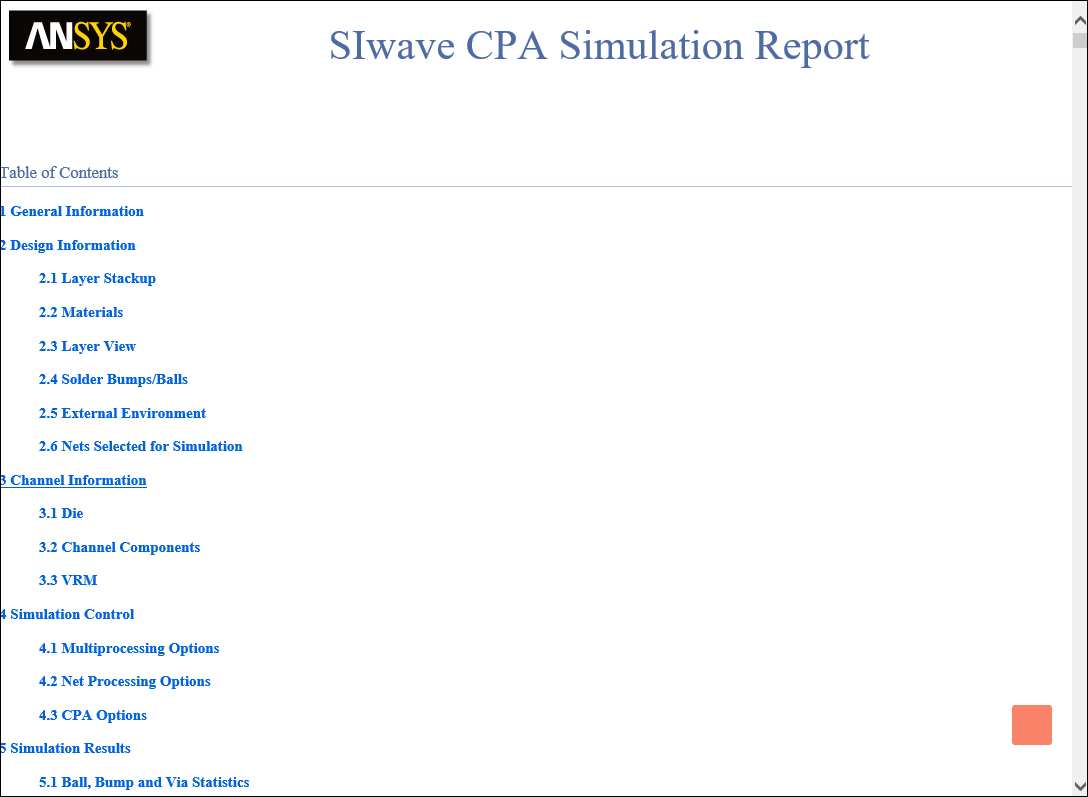
- Export Simulation Report – open a settings window where you can configure and export an HTML report of the layout, setup, and results.
- Export Solution – opens a settings window where you can configure and export an Ansys Electronics Desktop Circuit file (*.cir).
- Export Ansys RedHawk Netlist – saves the CPA model as a compressed file archive (*.zip). Inside is a folder labeled adsCPA, containing the files listed below.
Contents of Extraction folder Description
cpa_rh_pkg_wrapper_ASCII.sp
Top-level Spice netlist.
cpa_rh_pkg_wrapper.sp
Encrypted wrapper for RedHawk.
mult_whole.lvl AC RLGC data. mult_whole_dcres.lvl DC RL data. RLGC_Consolidated.txt Consolidated RLGC data. cpa_annotated*.ploc
ASCII and encrypted PLOC files for system level connectivity.
0000_CPA_Sim_1.sp
Package RLGC netlist.
0000_CPA_Sim_1_*.sp
Individual Spice models for each of the extracted components.
Loop_L.txt Loop inductance for all the extracted components. 0000_CPA_Sim_1.pkg
Package IBIS model.
Cmatrix.txt; Gmatrix.txt
Maxwell's CG matrices.
- Export Wideband SPICE Model (BETA) – saves a wideband model, fitted from DC to 5GHz, based on the extracted DC and AC RLGC data. Ansys recommends using this option only when the number of sources is small (typically around 50 or so), as the model generation time and complexity increase significantly with the number of extracted terminals. Note that the Wideband SPICE model uses controlled sources and is compatible with general Spice simulators such as HSPICE.
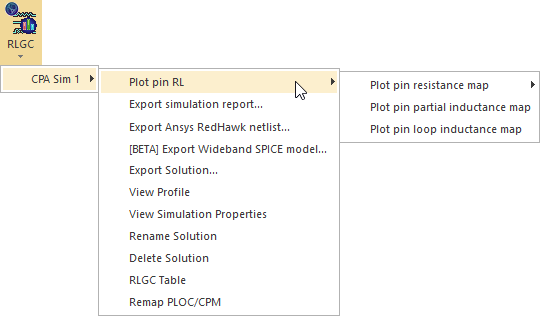
Export options include:
From the RLGC Results Menu, you can also view results or view and change simulation properties.
Exporting a Simulation Report
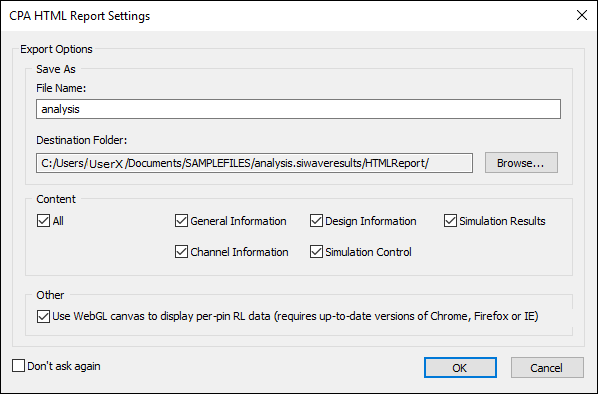
The Use WebGL canvas to display per-pin RL data check box exports to a format that embeds a WebGL canvas for interactive visualization of per-pin RL plots, allowing zoom, pan, rotation, tool tips, net filtering and linear/logarithmic scale settings.
Exporting a Solution (Circuit)
This export window is accessible either via the Results menu, or from the Reduce Matrix window.
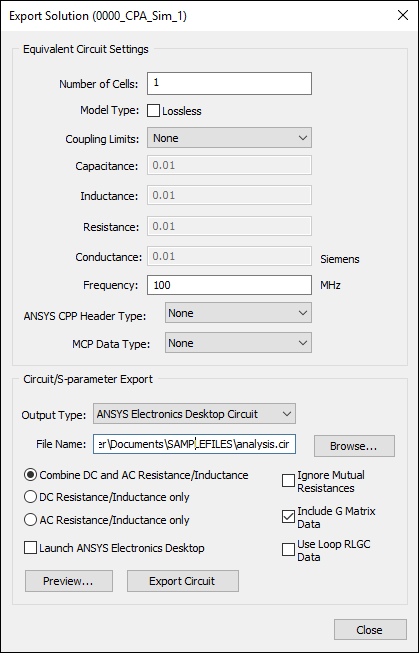
Specify the Equivalent Circuit settings:
- Number of Cells – Enter the number of cells (sections) to be used while exporting the circuit. Finer discretization (i.e., a larger number) gives a closer approximation to the underlying partial differential equations. However, this also leads to increased simulation time.
- Model Type – Select Lossless if a lossless model is appropriate.
- Coupling Limits – Select either None, By Value, or By Fraction of Self Term.
When None is selected, the options below are unavailable:
- Capacitance – If you selected By Value, enter a value in Farads. If you selected By Fraction of Self Term, enter a percentage value.
- Inductance – If you selected By Value above, enter a value in Henries. If you selected By Fraction of Self Term, enter a percentage value.
- Resistance – If you selected By Value above, enter a value in Ohms. If you selected By Fraction of Self Term, enter a percentage value.
- Conductance – If you selected By Value above, enter a value in Siemens. If you selected By Fraction of Self Term, enter a percentage value.
- Frequency – Enter a frequency in MHz.
- Ansys CPP Header Type – Select None, Wirebond Dieup, Wirebond Diedown, Flipchip Dieup, or Flipchip Diedown.
- MCP Data Type – Select None, DIE, PKG, or PCB, based on the SIwave model type.
Specify the export settings:
- Output Type – Select a circuit model type from the drop-down menu.
- File Name – Click Browse to specify a file name and path.
- Resistance/Inductance
– Select one of the following matrix types:
- Combine DC and AC Resistance/Inductance
- DC Resistance/Inductance Only
- AC Resistance/Inductance Only
- Ignore Mutual Resistances – Select to ignore mutual resistances.
- Include G Matrix Data – Select to include G Matrix data.
- Use Loop RLGC Data – Select to use Loop RLGC data.
- Launch Electronics Desktop – Select this option if you want to launch Ansys Electronics Desktop and open the file upon export.
Click either Preview to preview the export, or Export Circuit to export it.