Using the Layer Stackup Editor
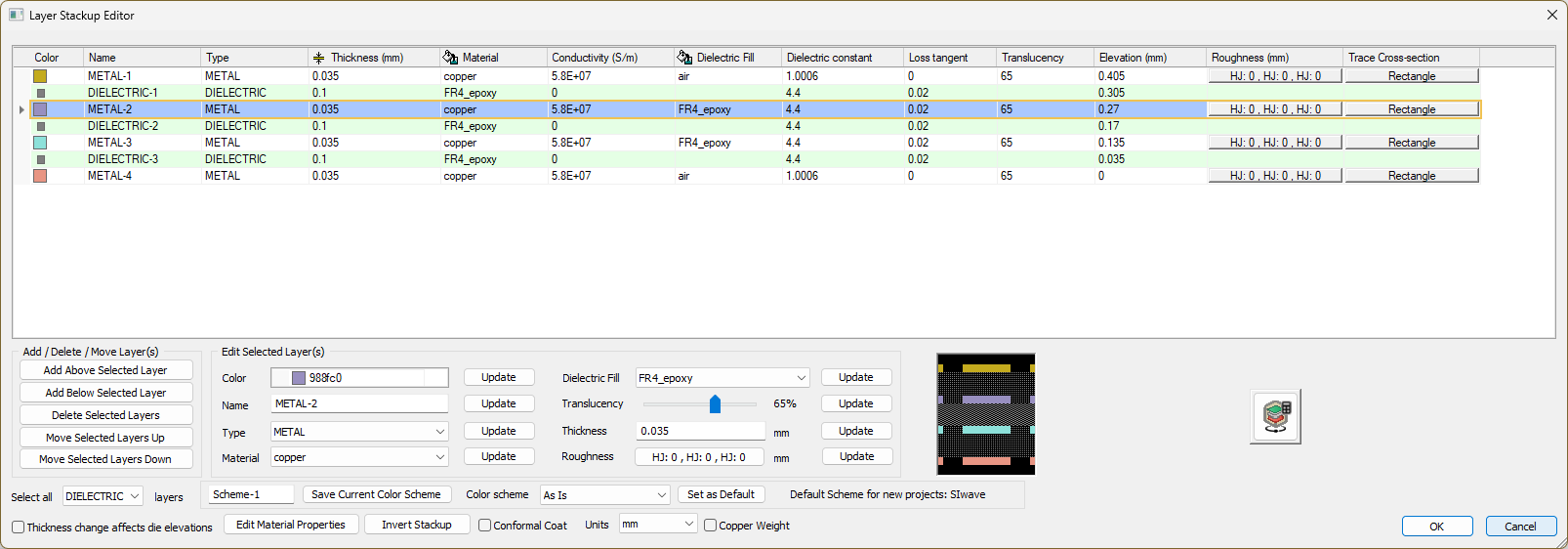
The Layer Stackup Editor window allows you to define the characteristics of each layer. Complete these steps to modify layer properties.
- Click Home > Layer Stackup Editor to open the Layer Stackup Editor window.
- From this window, perform the following actions:
- Add a or delete layers
- Edit layer properties
- Click 3D View or the Layer Stackup Wizard button (
 ) to launch the Layer Stackup Wizard.
 - Click any button in the Trace Cross-section column to open the Trace Cross Section Shape Editor window. The option is available for any METAL layer. Refer to Modifying the Cross Section Traces.