
Components Workspace
The Components workspace contains two tabs: Selection Filter and Components.
Selection Filter Tab
The Selection Filter tab allows you to set the selection filter for components
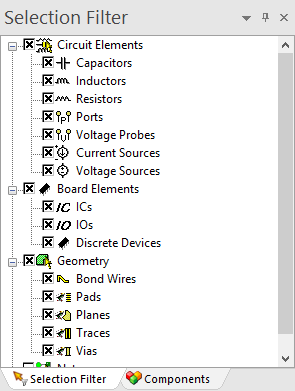
To select circuit elements, board elements, geometry or nets, enable the corresponding check box.
Geometry and Nets cannot be selected simultaneously.
Components Tab
The Components tab displays all the circuit elements and manufacturer components in the model.
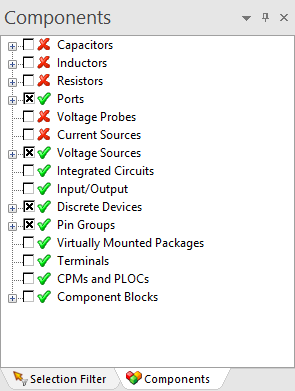
To see the components, part numbers and reference designators under a particular circuit element type, do one of the following to expand the tree:
- Click the + icon, or
- Double-click the component.
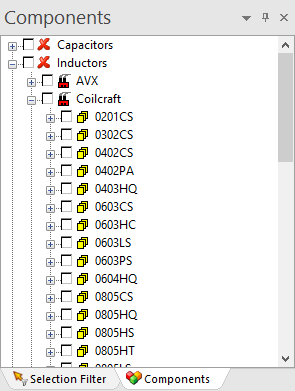
- Manufacturer-supplied components display the manufacturer name, series number, global parts, circuit elements, and pins.
- Local components display the part name, circuit elements and pins.
- Pins display the net to which they are attached.
- Click any component to select and highlight it, center it, and Zoom In on it in the Modeling workspace. Note:
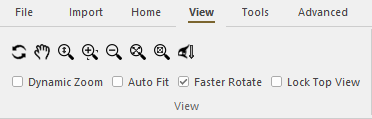
To highlight a selected component without centering or zooming in, navigate to the View tab and remove the check from the Auto Fit box.
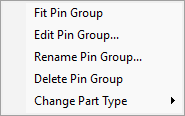
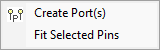
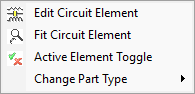
- Right-click any component to open a menu of options relevant to that component. See examples below.
For Pin Groups:
For Pins:
For Circuit Elements:
For more information about the available options, consult the help topic for the type of component you're working with: