
Meshing With the Maximum Delta-Z Ratio
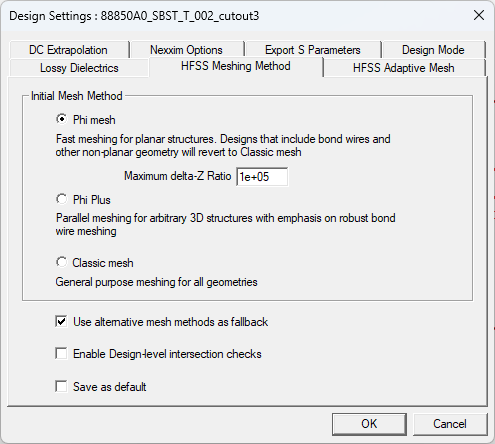
The Phi mesher analyzes all combinations of Z-elevation to determine the delta-Z ratio (i.e., the minimum distance between the model's unique Z-elevations). If the ratio is greater than the maximum delta-Z ratio, the validation check fails, enabling users to identify layers that are, for example, typically too thin before running a full analysis. If users deliberately make design choices that would otherwise not pass validation, entering a different value in the Maximum delta-Z Ratio field can allow the validation check to proceed.
The Mesh Feedback Window
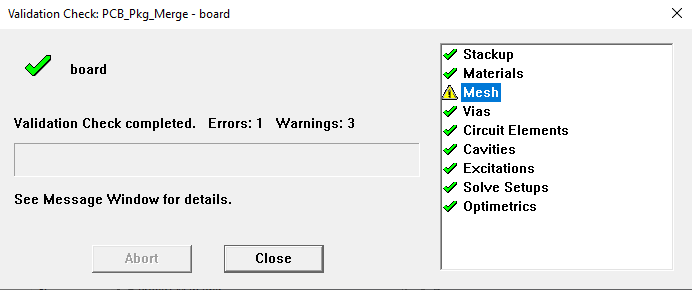
If validation fails or users wish to view the calculations performed during validation, complete these steps.
-
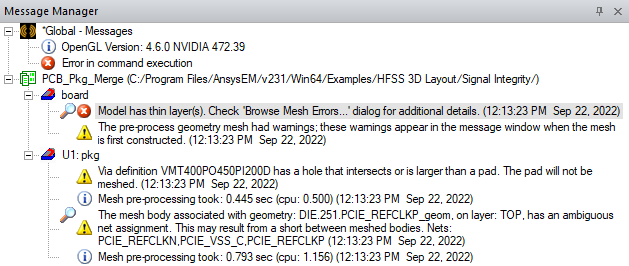
Navigate to the Message Manager window and locate the message indicating the validation check's final outcome (e.g., Model has thin layers(s)).
-
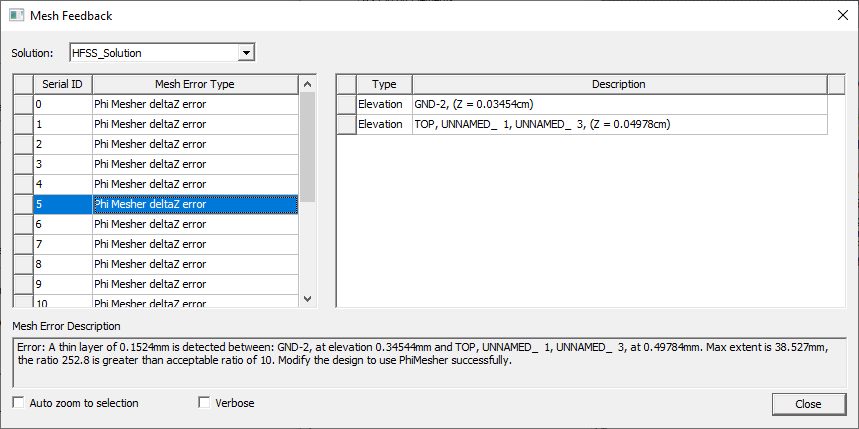
Double-click the validation message to open the Mesh Feedback window.
-
From the Mesh Feedback window, select from the errors listed in the left column to view its related value on the right and a description of the error in the field below.

-
Click Close to close the Mesh Feedback window.