
Adding Layers to an Encrypted Design
When a design is encrypted, users can add a signal or dielectric layer, and appropriate parameters (i.e., Thickness and Material) to the top or bottom of the encrypted stack without removing the encryption.
The stackup remains encrypted. After a layer is added, it will conform to the existing encryption level.
Complete these steps to add a layer to an encrypted stackup. Refer to the Edit Layers window.
-
To open the Edit Layers window, do one of the following from the Layout tab.
-
From the Layout ribbon, select
 Layers dialog.
 -
From Layout or Footprint, select Layers.
-
Right-click in the Layout Editor and select Edit Layers.
-
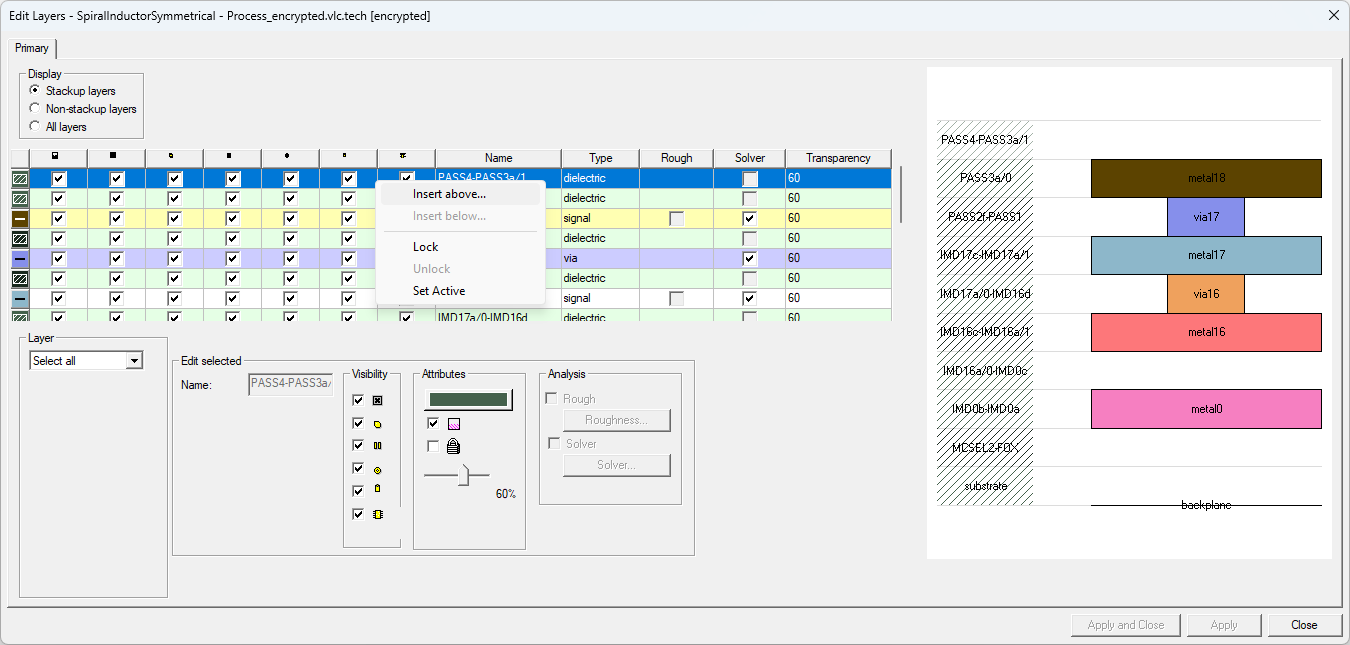
From the Grid Control Table, right-click in the top or bottom row and select Insert above/Insert below to open the Add Stackup Layer window.
-
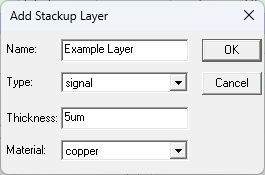
From the Add Stackup Layer window, enter an appropriate Name, Type (i.e., signal or dielectric), Thickness (e.g., 5um), and Material from the drop-down menu (e.g., copper).
-
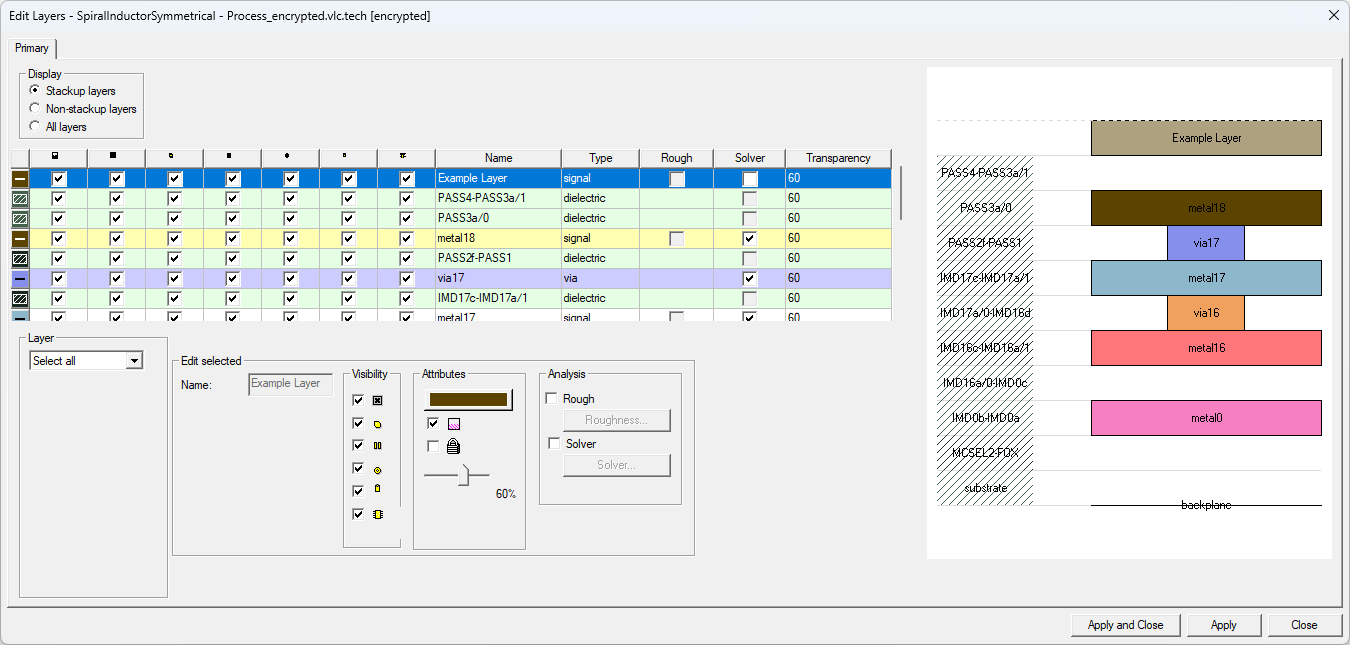
Click OK to close the Add Stackup Layer window and add the new layer to the Grid Control Table.
 Note:
Note:To remove layers from an encrypted design, refer to Trimming Layers from an Encrypted Design.