
Drawing a Plane
A plane object is a cut plane through the problem region. You can use
- From the menu bar, click Draw>
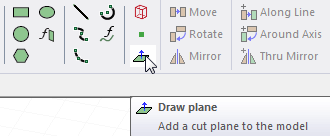
 Plane or, on the Draw ribbon tab, click the Draw plane icon:
- Select the origin in one of the following ways:
- Click the point.
- Type the point's coordinates in the text boxes in the status bar.
To delete the selected point and start over, press Esc.
- Click the point.
- Select a normal point in one of the following ways:
- Click the point.
- Type the coordinates of the point relative to the origin in the dX, dY, and dZ boxes, where d is the distance from the previously selected point.
The plane is created. Its center point is located at the origin you specified and oriented perpendicular to the normal point you specified. The new plane is listed under Planes in the History Tree.
 Note:
Note:You only need to draw a plane that does not lie on a pre-defined xy, yz, and xz plane. Default planes are created on the xy, yz, and xz planes of the global coordinate system as well as any new coordinate system you create.