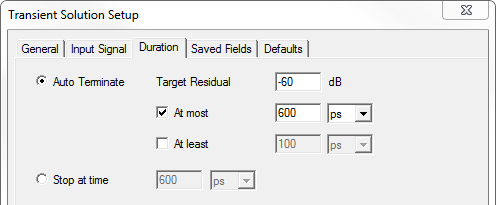
Duration Tab for Transient Solution Setup
Use the Duration tab of the Transient Solution setup to specify the either Auto Terminate and/or At most time and periods.
- If you select the Auto Terminate radio button, you can also edit the Steady State Criteria value. The Transient Solver can run until the steady state criteria is reached. The value is related to the maximum field remaining in the computational domain at a given time. When the maximum field has fallen to this fraction of its all-time high, the simulation is considered complete and the analysis stops.
The time duration of a simulation can be controlled by specifying a Target Residual in db20. The residual is defined to be the ratio of the global RMS value of the electric field at time t to the maximum RMS value in the time range zero to time t. See the technical note here.
- Optionally, you can also specify and At most limit, given in either a Time or periods, or as an At least limit, given in either a Time or periods.