
Active or Passive Excitations in HFSS Transient
In HFSS Transient, each excitation (port, plane wave, voltage, or current source) shall be "active" (with all ports active they each get an excitation one at a time, and a full S-matrix will be produced). If you want to save simulation time, you can make only one or a few ports of interest "active". The passive ports will act as terminations. You will get only a partial S-matrix.
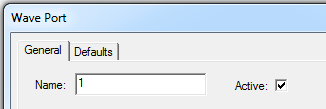
For wave ports, you specify "Active" using the check box on the General tab for the excitation.
For an incident wave source, you use the Active or Passive radio buttons on the Transient Tab. You can also specify Magnitude and Delay..
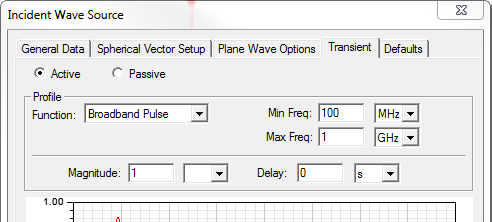
For excitations in HFSS Transient Composite Excitation solutions (and not HFSS Transient Network solutions), if you select Active, you can specify additional parameters for the excitation.
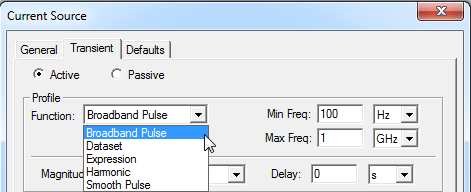
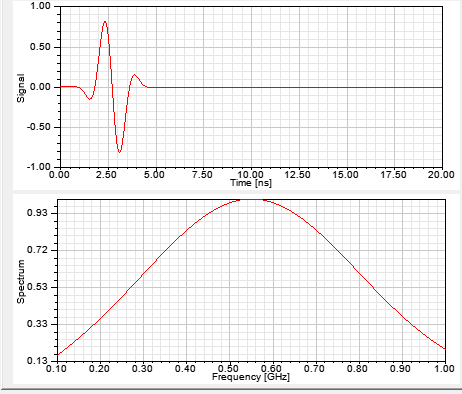
The Transient Composite Excitation Solution type has more time profiles. In this case, the time profiles are defined as part of the excitations, because excitations can have individual profiles in a Composite Excitation solution analysis. The profile includes two plots. The upper plot shows the excitation of interest given the currently specified parameters. The lower plot shows the energy spectrum of the upper plot. The lower plot parameters include the Min and Max frequencies.
The following table describes the parameters for the upper plots.
|
Function |
Upper Plot Parameters |
Description |
|
Broadband Pulse |
Min Freq. Frequencies extracted Max Freq. |
A Min Freq. of 0 Hz. is allowed. This changes the shape of the pulse.
A time profile that has a strong
spectral content between the Min and Max frequencies. This can be used
for such purposes as extracting S-parameters in that frequency range. |
|
Data Set |
Amplitude Max Freq. |
See Adding Datasets for a description of how to create a dataset. |
| Expression |
Expression
Max Freq. Magnitude Delay. |
For lightning strike simulation, it is convenient to define the pulse shape as an equation or algebraic expression. An expression can contain: all standard expressions containing the intrinsic time variable (time), HFSS intrinsic function expressions including dataset references, and any user defined variable and dataset (pwl(ds, time)) for the design. An expression cannot contain spatial variables (that is, x,y,z, phi, rho or theta).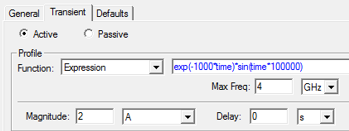 |
|
Gaussian |
T0 Amplitude Width |
The T0 parameter specified the start time of the pulse with the given Width and Amplitude. |
|
Harmonic |
Ramped Periods Amplitude Frequency |
The harmonic displays as a regular sine wave. |