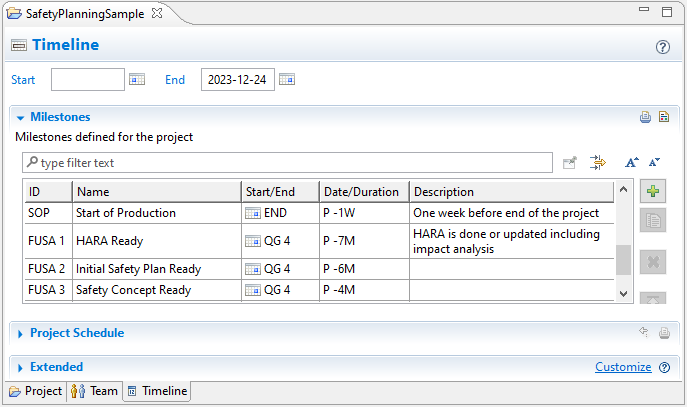
To plan a project, you set a timeline and define useful milestones. This section explains how to manage the project timeline and its milestones.
In the Milestones section, you identify the various milestones to be reached during the project. For each milestone, define a Start/End, a Date or Duration, and a brief Description. Define milestones either as a fixed date provided as an ISO 8601 calendar date or as an ISO 8601 duration relative to another milestone.
Milestones can be used in safety planning as anchors for safety activities. In addition, you can set milestones to plan when the safety artifacts required by specific safety analysis activities become available.
To set a project timeline and add milestones, complete these steps.
In the Model Browser, double-click the project folder you want to open.
At the bottom of the project window, click the Timeline tab to open the Timeline editor.
Note that the first time you set up a team in a project, you must first click the button.
Enter the start and end dates of your timeline.
Expand the Milestones section. Use the buttons on the right to add, edit, delete, or reorder milestones in the table.
The Project Schedule chart shows your timeline in a calendar view.