In some usage contexts it might be required to renumber the requirements in one or more requirement models by using subsequent numbers. This might for example be the case if requirements are imported into an existing model and the numbers of imported requirements do not fit to the numbers of the existing requirements. Another scenario is the iterative work on a requirements model, where requirements are deleted.
The renumbering function of medini analyze works as follows:
All requirements in the selected model(s) get a new subsequent number, starting with a number specified after triggering the function.
Goals contained in the model(s) are not part of the renumbering - their numbers remain unchanged.
The new ID is defined according to the auto counter pattern for requirements applying the subsequent number to this pattern (see Auto-counter Patterns).
Requirements, that are not changeable, e.g. because they are proxies for requirements stored in external sources, are not getting new IDs (see DOORS Integration).
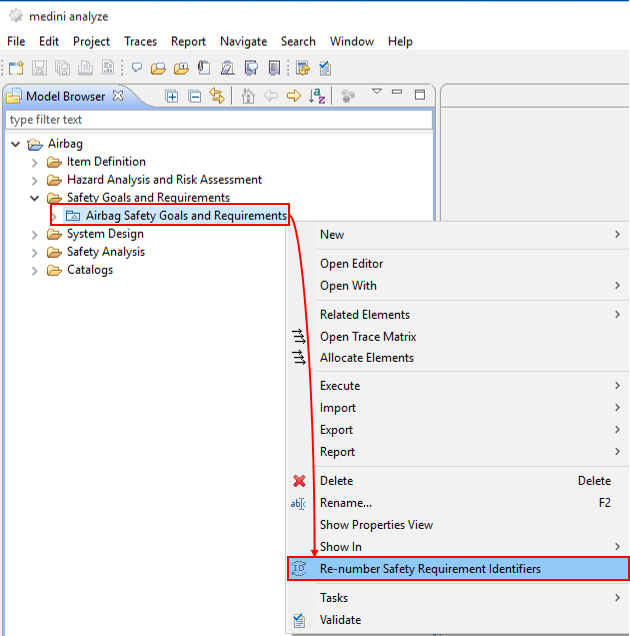
The function is triggered from the context menu of a requirements model in the model browser. Multiple selection is possible.
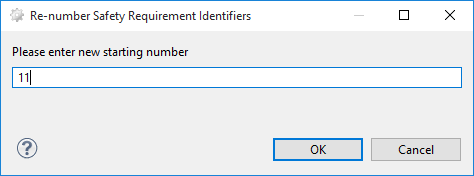
In the upcoming dialog, the starting number can be specified (default is 0).