


The glossary feature allows you to specify terms - typically acronyms - with their definitions in the project scope. Each glossary consists of one or more glossary entries with the term or acronym and a longer definition or explanation text. There are a number of convenient features around glossary as well.
Each project has an individual glossary, though it is optional and not present by default
Glossaries may have zero or more glossary entries explaining arbitrary terms, e.g., from the particular project domain
Project glossaries can be easily compared and merged between projects
The project glossary is made visible by opening the "Glossary" view. That view is a singleton, so there can be only one instance at a time. At the same time the view is "editor sensitive", that means, it shows the glossary of the project of the active editor only, similar to the "Outline" or the "Situation Catalog" view. Nothing is shown if no editor is open and active.
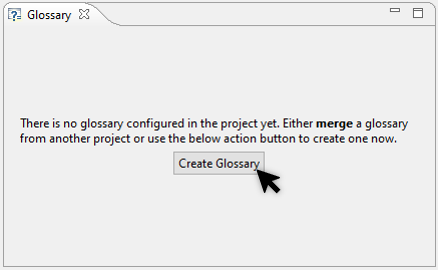
New projects do not have a glossary by default so it has to be created on demand as a first step.
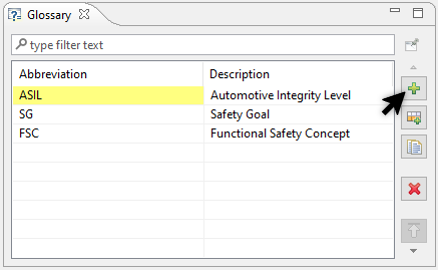
The glossary editor works as most table editors do: to add a new glossary entry, the "+" action can be used, there are further actions to duplicate, delete and rearrange entries.
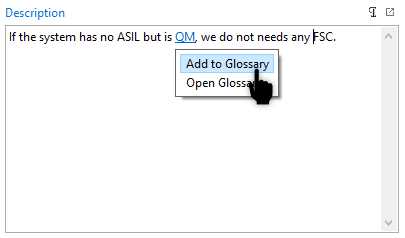
The glossary feature is able to detect acronyms in form text fields. Multi-line, but also single-line text fields are supported. Hovering an unknown acronym will allow the user to add it directly to the project glossary. Hovering a known acronym shows the definition of the acronym as a tooltip and allows the user to navigate to the glossary entry.
Note that the detection of acronyms is limited to upper-case whole words with at least two characters that are separated from other words by white spaces. In some languages, such as Japanese, the detection may not work as expected due to limited usage of spaces between words. For example, in the following string ("HARA shall be performed first"), the "HARA" cannot be detected.
