


The SysML design model editor supports activities and actions as defined by the SysML/UML specifications. The concepts can be used to describe a detailed behavior of the system or software as well as it provide a means to describe processes related to the system, e.g. the production process of a safety critical item. Activities and actions can be analyzed in the same way as any other model element. See Safety Analysis for more details.
Activities are the behavioral container for action flows. In medini analyze action flows are available both for activities as well as functions. In order to create an action flow diagram, first an activity/function has to be created in the system design editor or via the context menu of the Model Browser (see Using the Graphical SysML Editor). Afterwards the creation of an action flow diagram is available via the context menu for an activity/function as shown below:
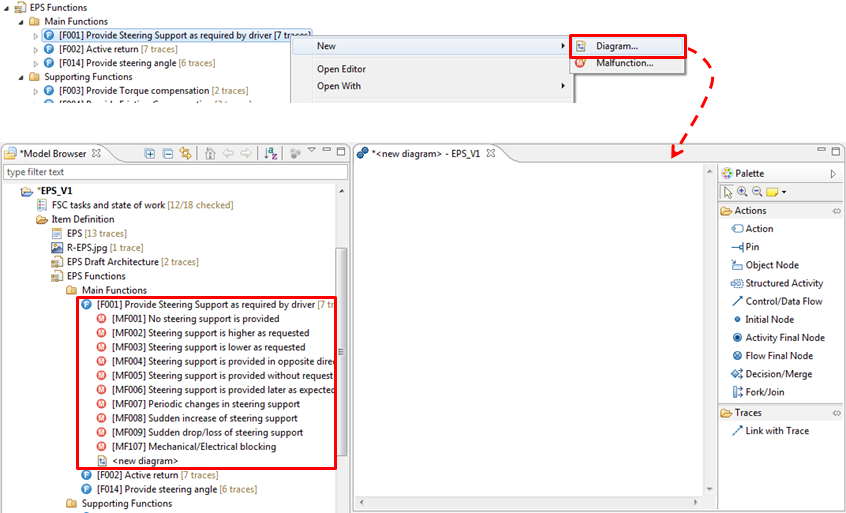
Note that the diagram is contained inside the activity/function and the palette is different from the structural concepts. The palette shows the available object types and connections which include the following:
Actions with pins. Dedicated stereotypes can be used to model various types of specific actions and their parameters
Object Nodes for expressing data flow objects that are exchanged between actions
StructuredActivities for grouping of actions into one nested scope
Initial node, Final node (i.e. activity and flow final), and Decision/Merge nodes to specify various control flow behavior
Control and data flow between actions and control nodes
Fork/Join nodes to specify parallel action flows
The below screenshot shows an example of an action flow that uses various elements available in the editor:
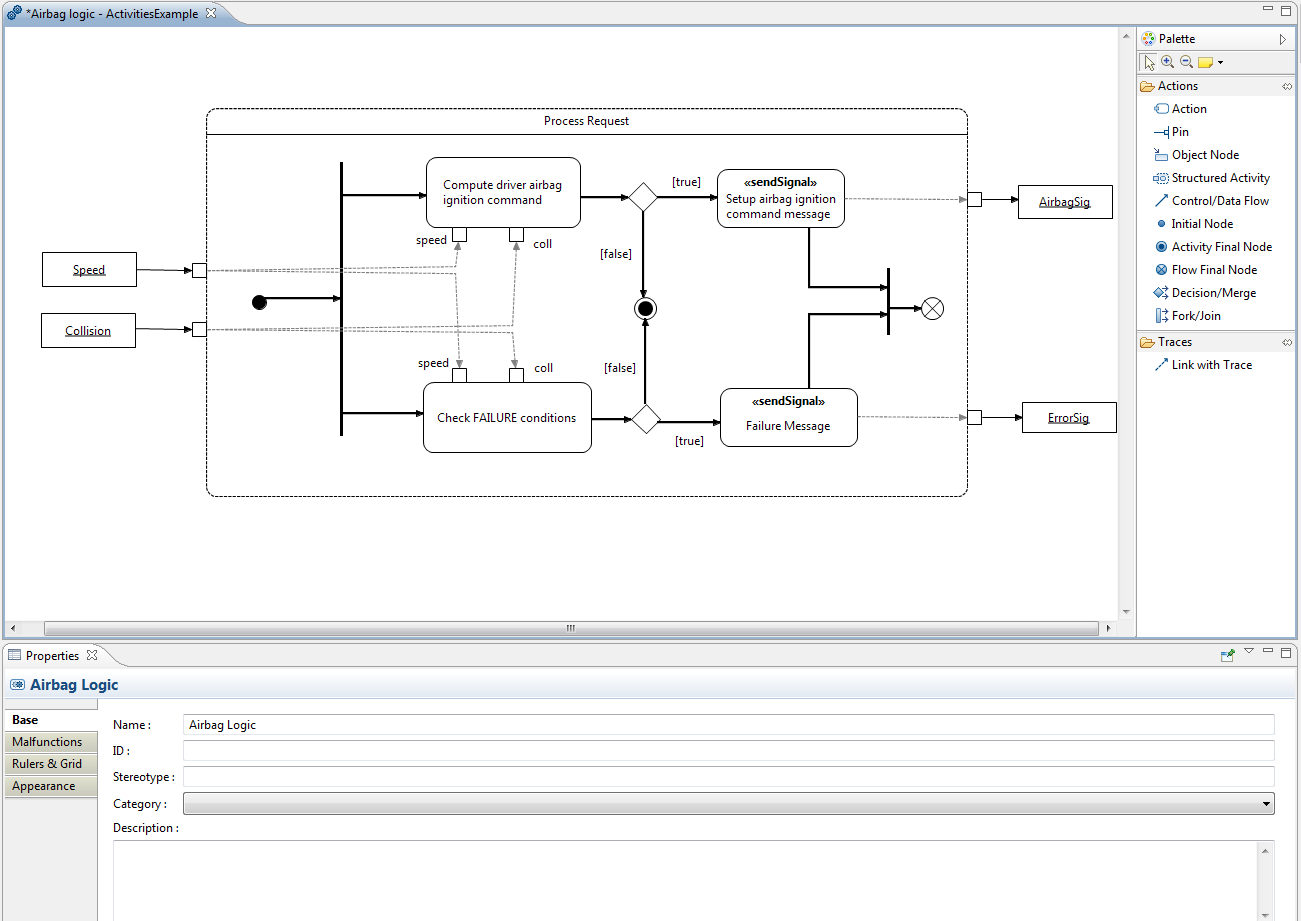
For each model element a dedicated property view is available to specify the details. If the diagram itself is selected the properties of the activity/function itself can be edited as shown above.
Beside the general properties the activity, function, action, and structured activities have a separate tab Malfunctions. This allows the annotation of failures to the individual actions.