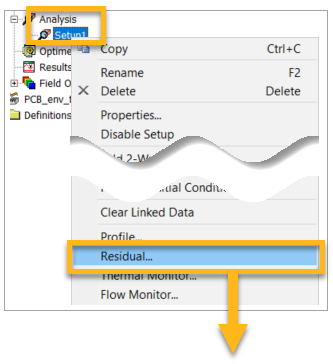
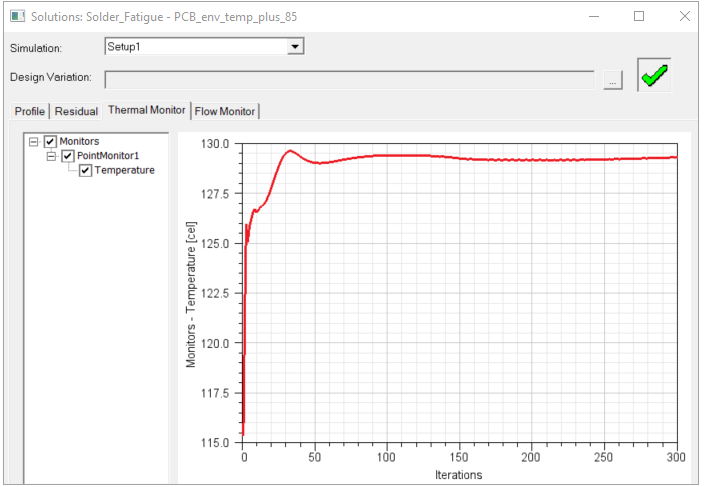
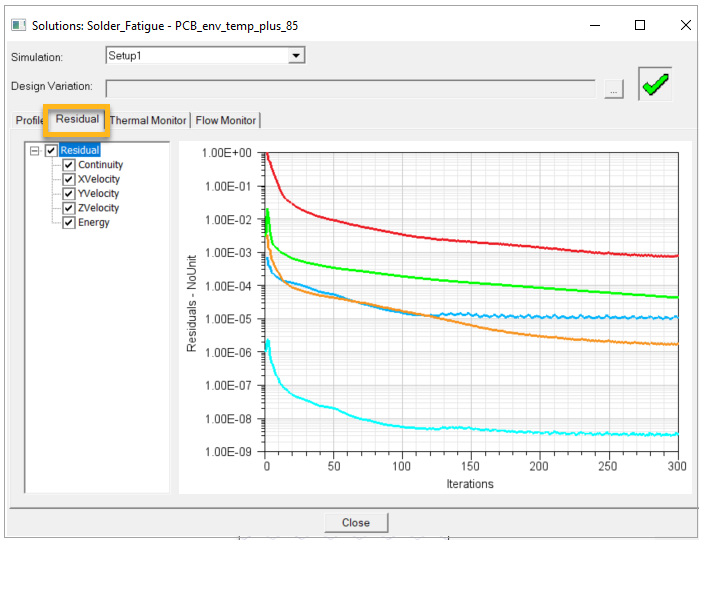
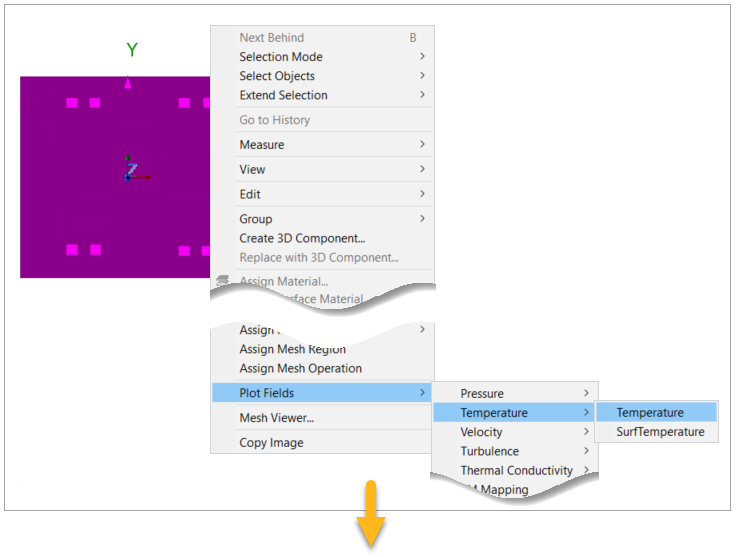
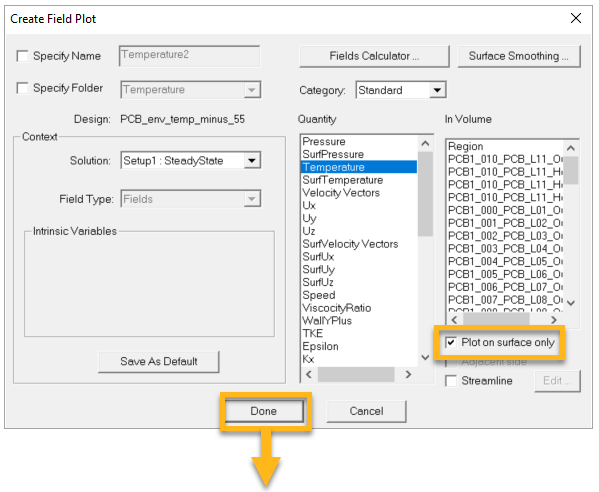
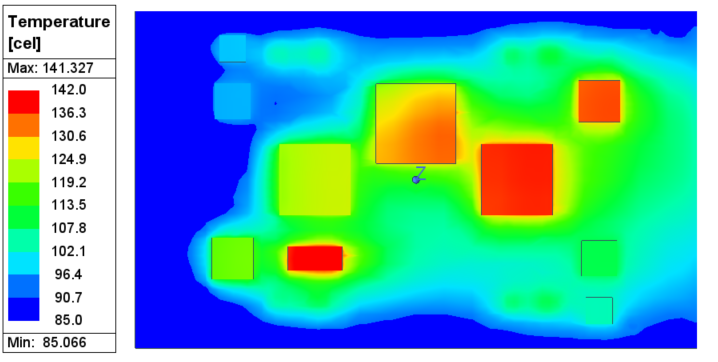
Contents Chapter 3: Icepak: Setting Up the Thermal Simulation | Print page 3.16. Verify the Solution Convergence and Thermal ResultsFollow the steps illustrated below.Select all the components and the PCB. Right-click the selection and from the submenus, select Plot FieldsTemperature>Temperature. « 3.15. Update the Ambient Temperature and Analyze the Setup 3.17. Verify the Exported .tmap File »