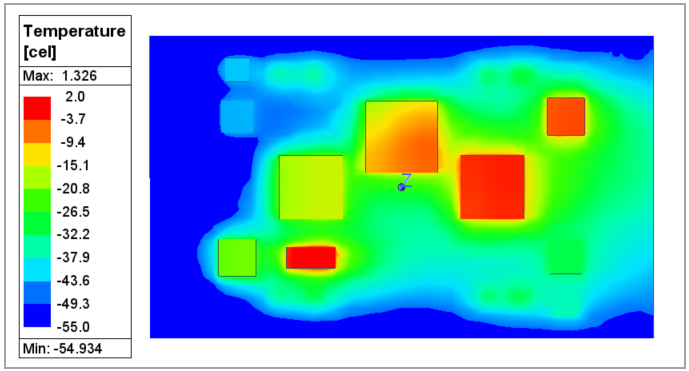
Follow the steps illustrated below to view the solutions.
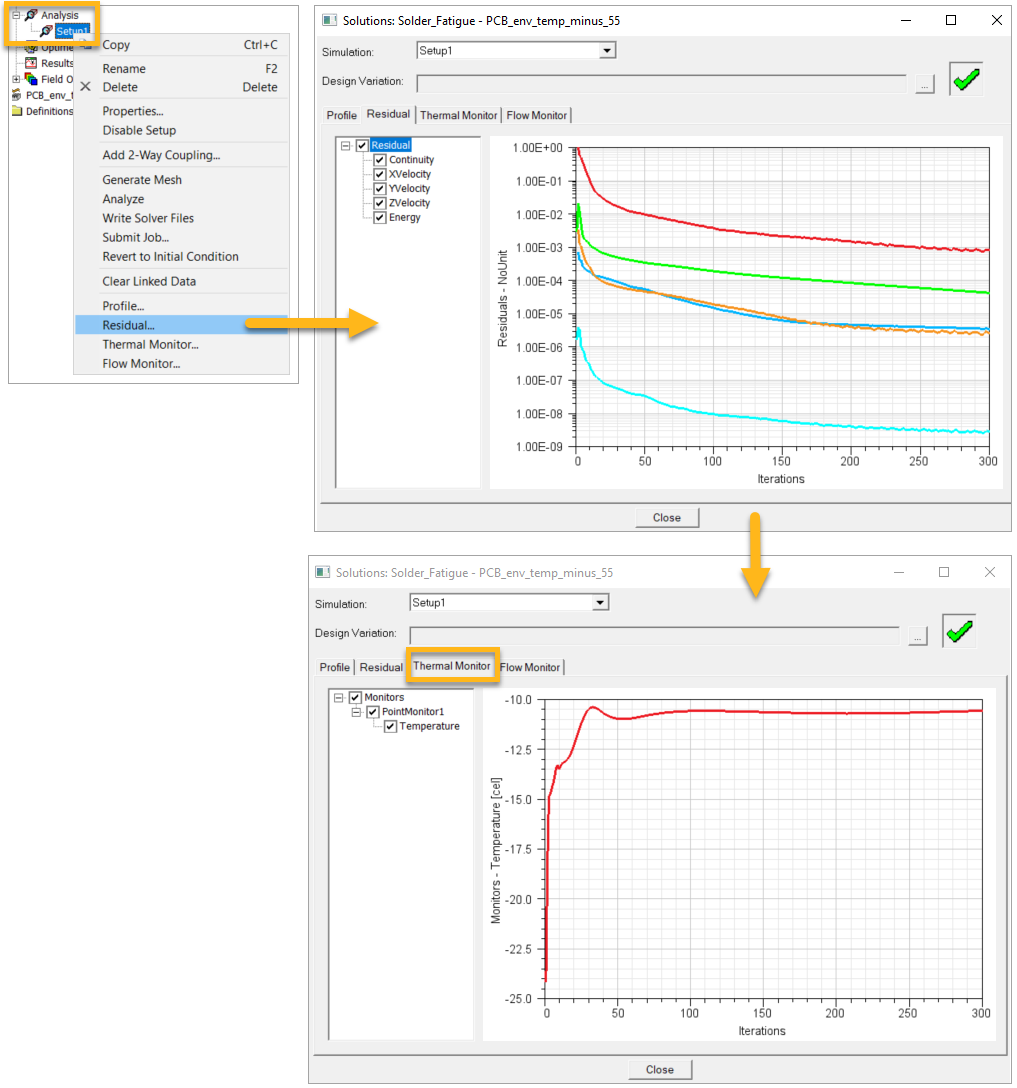
Close the Solutions window when finished.
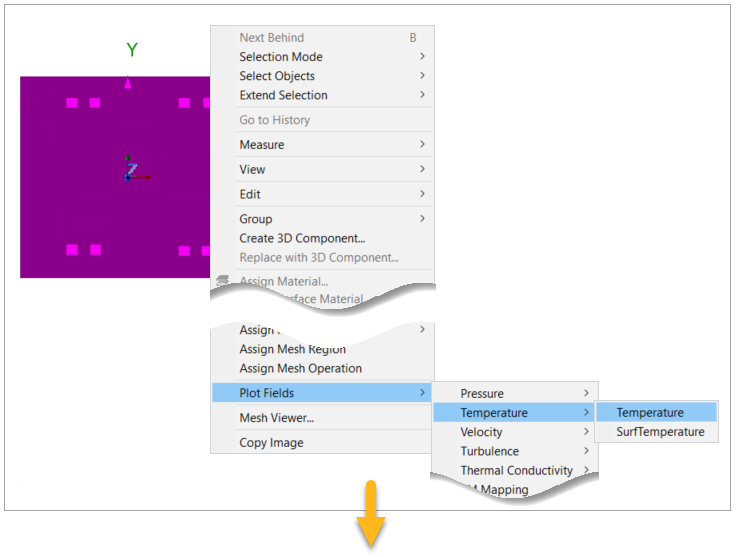
Select all the components and the PCB. Right-click the selection and from the submenus, select to open the Create Field Plot dialog.
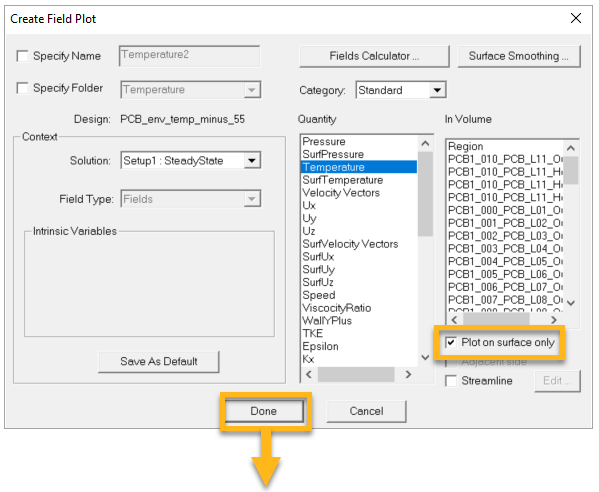
In the Create Field Plot dialog, select the options shown below. Click .