


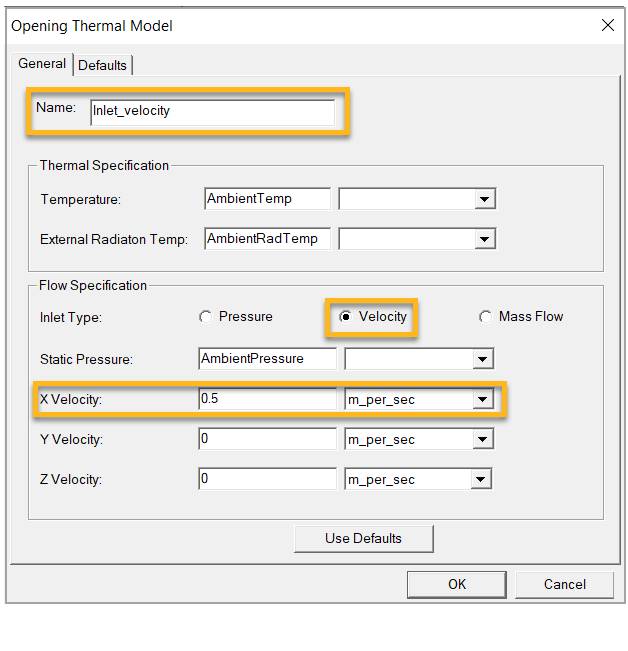
Assign a velocity inlet and a pressure outlet on the min X and max X faces of the air regions respectively as shown in the images below.
Tip: Press the f key to switch to face-selection mode.
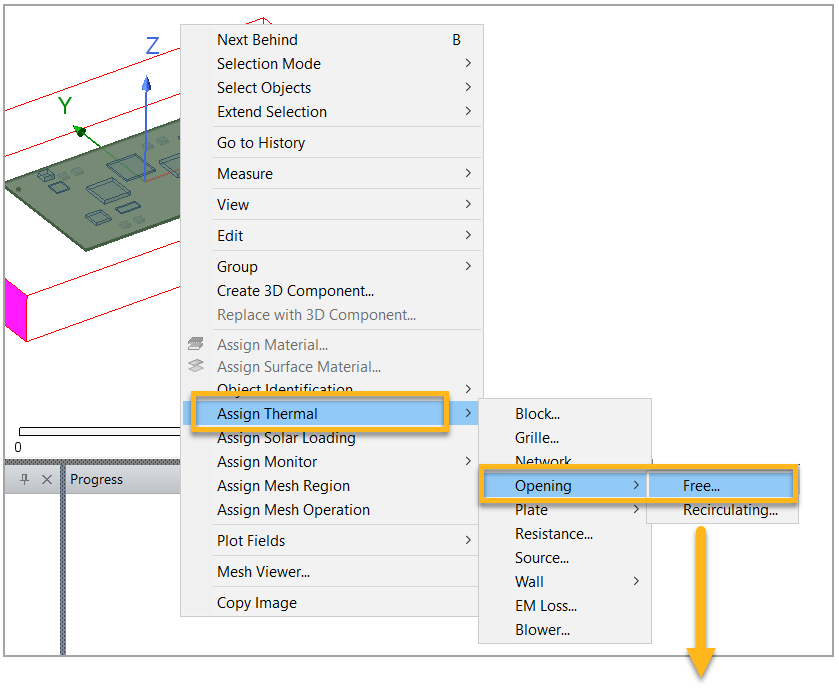
Set the velocity inlet opening on the min X face of the air region as shown.
Now set the pressure opening on the max X face of the air region as shown.
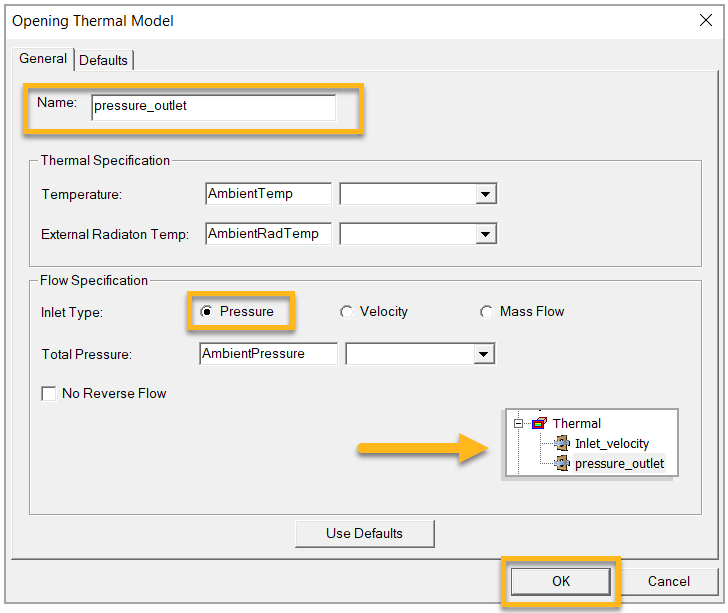
Click when the pressure values are set.