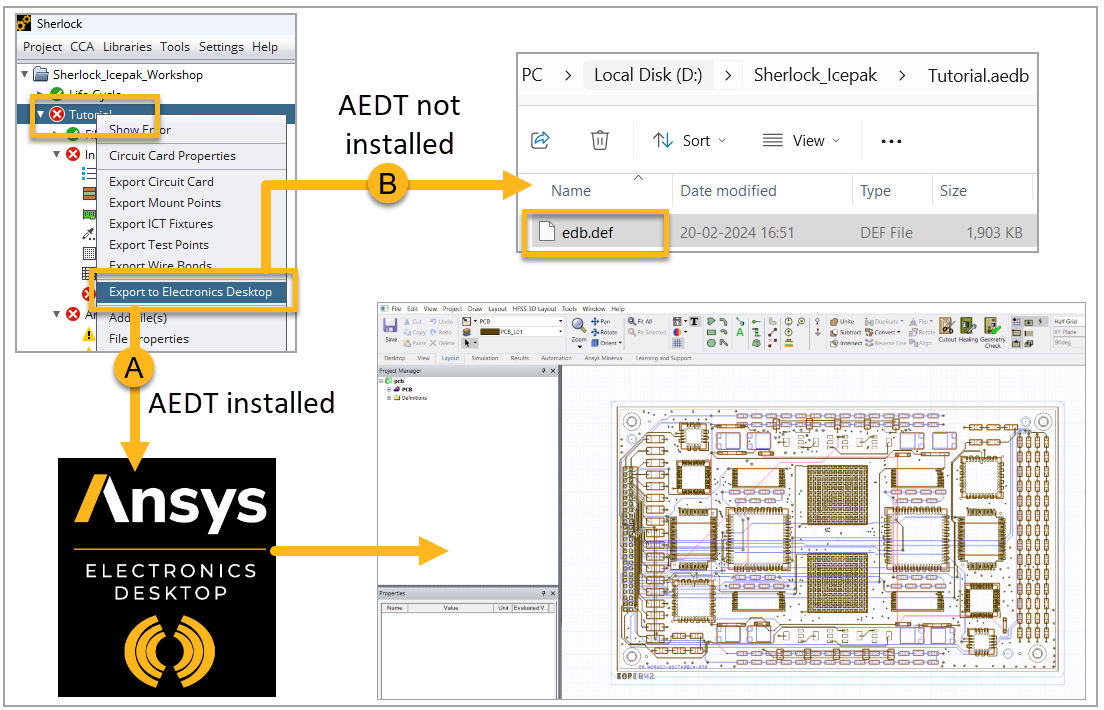
Once the Parts List is updated, export the board to the Ansys Electronics Desktop (AEDT) application.
If the AEDT application is installed on your system, it will automatically launch and insert the HFSS 3D Layout design for the given PCB. See option A in the image below.
If the AEDT application is not installed on your system, export the EDB file to a selected folder and open it manually in AEDT (B, below). See Import the EDB File into AEDT below.