- Default kernel unit changed to meters
The default kernel unit has been changed from millimeters (mm) to meters (m). Only meters are supported as the kernel unit in 2025 R1, and this cannot be modified. When legacy files are opened in 2025 R1, the kernel unit is automatically set to meters.
- Unit type selection unavailable for CAD import
When importing CAD files, unit selection is no longer available. The import process automatically follows the unit system saved in the CAD file. If scaling is needed, adjust the size within the CAD tool before importing.
- Bodies without volume are not imported
In 2025 R1, bodies in a CAD file that consist only of curves or edges, without volume, cannot be imported. If a CAD file contains both bodies with and without volume, only the volumetric bodies will be imported.
In 2025 R1 SP2, using the engine (the default engine in 2025 R1 SP2) enables the import of bodies without volume, resolving this limitation.
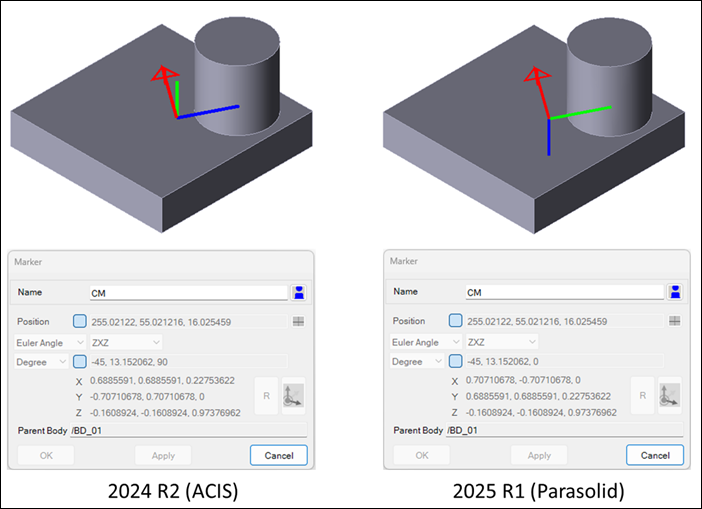
- Possible changes to CM marker orientation in rigid bodies
The orientation of the CM Marker in rigid bodies may change due to the kernel transition. When monitoring CM Marker rotation, using the CM Marker as a reference marker, or measuring it in function expressions within legacy files opened and analyzed in 2025 R1, be aware that the solution may differ.
- Changes to faceset options
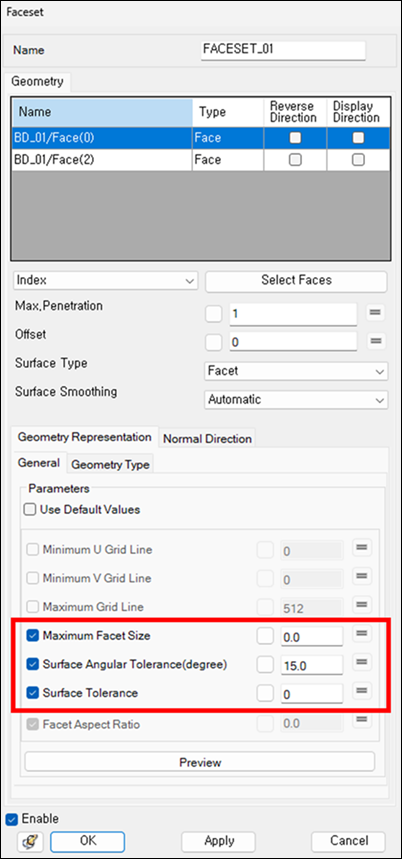
Only Maximum Facet Size, Surface Angular Tolerance (degrees), and Surface Tolerance are now supported as faceting parameters.
The Minimum U Grid Line, Minimum V Grid Line, Maximum Grid Line, and Facet Aspect Ratio options are no longer supported, and any settings for these in legacy files will be ignored.
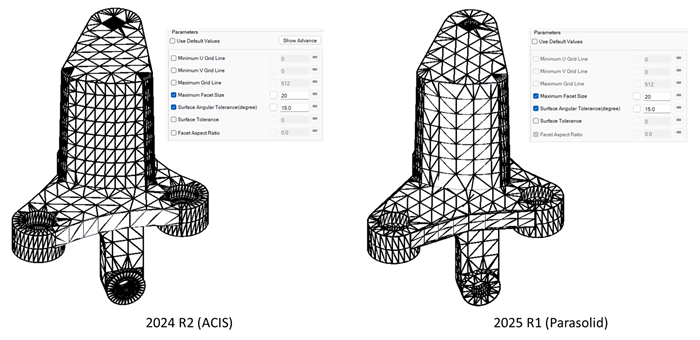
The default faceting option has been updated, so the default facet size may be larger or smaller than in previous versions.
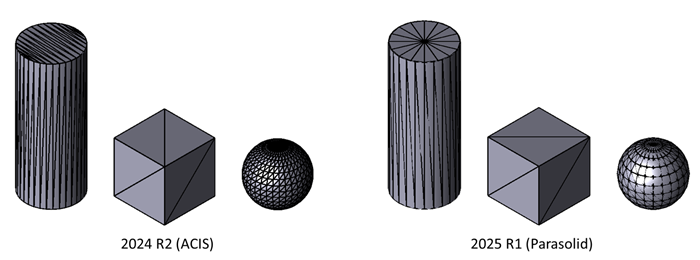
Due to the kernel transition, the shape of facets may vary even when the same faceting parameters are used.