


In this tutorial, you will use the Collapse function to create a degenerate topology in a Conjugate Heat transfer problem around a blade located in the center of a cylindrical pipe. The Pipe-Blade geometry is shown.
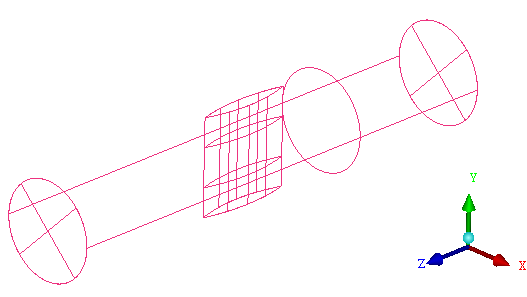
This tutorial demonstrates how to do the following:
Starting the Project
Creating Parts in the Mesh Editor
Starting Blocking and Fitting it to the Geometry
Splitting and Collapsing Blocks around the Blade Material
Fitting the blocking to the Blade geometry
Generating the Ogrid
Defining and Refining the Mesh using Surface Parameters and Edge Parameters
Checking mesh quality for determinants and angle
Saving before Quitting
- Starting the Project
- Step 1: Creating Parts in the Mesh Editor
- Step 2: Initial Blocking and Associations
- Step 3: Splitting and Collapsing Blocks around the Blade
- Step 4: Fit the Blocking to the Blade geometry
- Step 5: Generating the Ogrid
- Step 6: Defining the Mesh using Surface Parameters
- Step 7: Refining the Mesh using Edge Parameters
- Step 8: Checking and Improving Mesh Quality
- Step 9: Saving your Work