


RSM needs to acquire and cache your credentials to be able to submit jobs to an HPC resource on your behalf. RSM's direct integration with Ansys applications and built-in caching capability automates this process to a great extent, and eliminates the need to manually define user accounts in RSM. For more information, refer to Automatic Account Creation in Submitting Workbench, CFX, Fluent and Mechanical Jobs to Remote Solve Manager.
Each user account is associated with a specific cluster configuration defined in RSM, and therefore tied to the RSM queues defined in the configuration. In addition to auto-account creation, you can create a user account directly in RSM, and apply the account to an RSM configuration.
When you submit a job to RSM from Workbench for the first time, RSM will prompt you to specify credentials for accessing the HPC resource associated with the chosen RSM queue. RSM will validate and cache the credentials, and there will be no need to specify credentials again unless your password changes.
Important: For improved account security, passwords are always cached on the client machine, even if jobs will be submitted to a remote resource.
To view existing accounts and their associated cluster configuration assignments, select Credentials in the left pane of the RSM Configuration application:
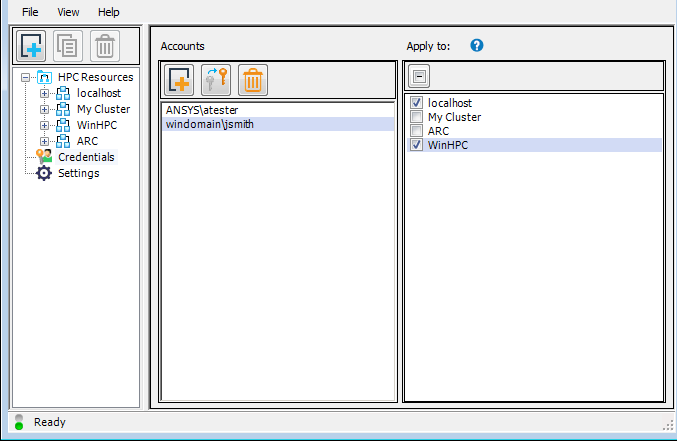
In the Credentials view you can also:
Manually add accounts
Change an account password
Delete accounts
For more information, see RSM User Accounts and Passwords in the Remote Solve Manager User's Guide.