


Managing logging indices
You can use Elasticsearch Index Lifecycle Management features to define the retention period of your MI logging data.
Time series MI log data keeps accumulating over time. You can automate the management of this data by configuring a retention period which defines the minimum time the data will be stored in Elasticsearch. Data older than the retention period will be deleted automatically by Elasticsearch at a later time.
- In Kibana, open the menu and go to .
-
Create a new 60 day retention lifecycle policy.
-
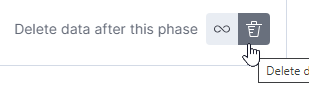
In the Hot phase section, switch from
Keep data in this phase forever to
Delete data after this phase.
-
In the Hot phase section, switch from
Keep data in this phase forever to
Delete data after this phase.
-
Create a second policy called
mi-log-audit-policywith no changes to the default settings.
To use a policy that triggers the rollover action, you need to configure the policy in the index template used to create each new index. You specify the name of the policy and the alias used to reference the rolling indices.
- Go to .
- Search for 'mi' to find the default mi-log template.
-
Clone the mi-log template: click .
-
Clone the mi-log template again: click .
-
In the Index patterns field, add
mi-logandmi-log-activity.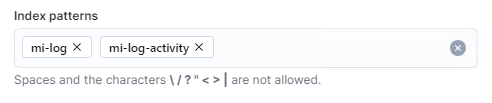
-
In the Index patterns field, add
- Delete the original mi-log template.