Updating Modelica Text from Diagram
Changes in the diagram reflect in the model text only after using Update Text from Diagram.
- Click Update Text from Diagram on the Modelica ribbon.
- Click Modelica Model Editor > Update Text from Diagram.
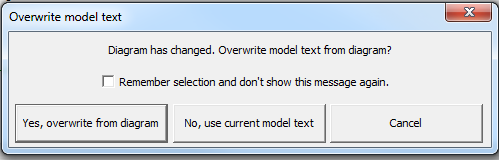
The model created or edited using the Diagram Editor can be saved and used in the project only after the model text is updated. If you do not use the option before switching tabs to the model text, the Overwrite model text dialog box gives you the option to make the diagram changes reflect into the model when you click Yes, overwrite from diagram.