
Symbol Editor Window
The Project tree Definitions includes a Symbols folder that lists the symbols for components used on the current schematic. Double-click the desired item, or right-click and select Edit Symbol to open the symbol for editing.
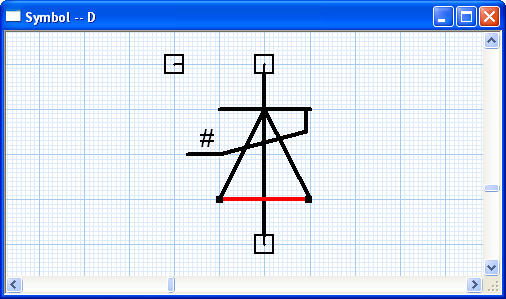
The symbol editor lets you:
- Draw graphical primitives such as rectangles, circles, and arcs, with the Draw menu.
- Add pins for electrical connections using the Pin option on the Draw menu, and possibly modifying the properties of these pins with the Pin List dialog box.
- Add text labels, using the Text option on the Draw menu.
- Add property displays, using the Property Display Setup option on the Symbol menu.
- Update the current project with the new or revised symbol definition using the Update Project option on the Symbol menu.