
Remote Analysis
It is possible to solve a project on a different machine from the one on which you set up your designs. This is particularly useful when you want to take advantage of a more powerful machine but it is not convenient to access that machine. This process involves configuring the machine that is to perform the solving (the remote machine), as well as the machine from which the simulation is to be launched (the local machine). This can also be extended into distributed analysis, where a specified analysis, if supported, is concurrently solved on multiple machines.
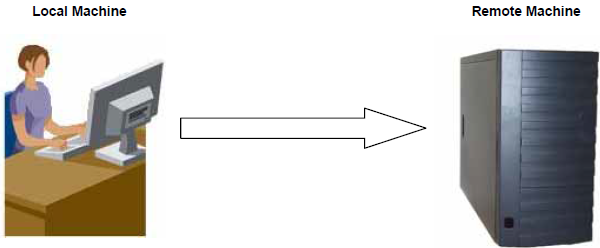
Communication between machines in remote analysis and distributed analysis can drastically affect performance. Use a high-speed network system, like Gigabit or Infiniband, for optimal performance.
- Prerequisites for Remote and Distributed Analysis
- Configuring the Local Machine to Solve Remotely
- Remote Analysis Options
- Running Remote Analysis
Select Tools > Options > Export Options Files to write XML files containing the Options settings at all levels to the specified directory (default, %UserProfile%\Documents\Ansoft\). Tools > Options > Export Options makes it easier for different users to use Ansys Electromagnetics tools installed on shared directories or network drives. The Example Uses for Export Options Features section outlines some use cases enabled by this feature.
Prerequisites for Remote and Distributed Analysis
- You must have Ansys Electromagnetics’ Remote Simulation Manager (RSM) or a supported High Performance Computing (HPC) management software program. (See High Performance Computing (HPC) Integration.) The list of currently-supported HPC software includes:
- Altair’s PBS
- Sun GridEngine
- Microsoft® Windows® Compute Cluster Server 2003
- Microsoft® Windows® HPC Server 2008 R2 and HPC Server 2012
- Twin Builder must be accessible from all remote machines as well as accessible on the local machine.
- If you use RSM, it must be accessible from all remote machines. In addition, the engines must be registered with each initialization of RSM. To do this, on each remote machine:
- On Windows on the local and remote machines, click
Start > Programs > Ansys EM Suite [version] > Register with RSM. You can also run
RegisterEnginesWith RSM.exe, located in the product installation folder (for example,
"C:\Program Files\ANSYS Inc\v251\AnsysEM\RegisterEnginesWithRSM.exe").
In each case, you see a dialog box confirming the registration. Click OK.
If the RSM service cannot run due to permission issues for the configuration file, it issues an error message and closes. If your product is not registered with RSM, the analysis will run locally.
Configuring the Local Machine to Solve Remotely
To set the analysis options in Twin Builder, see Configuring Distributed Analysis.
Open the Options dialog box, then select General > Remote Analysis.
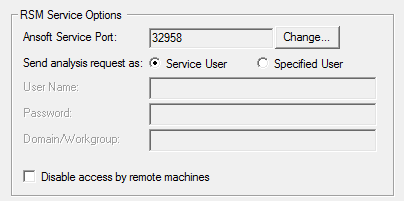
Select whether to run simulation processes as the user running RSM Service User, or a Specified User. If you select Specified User, you must provide the User Name, Password, and any Domain/Workgroup on which this user is defined. If the name or password is incorrect, the Message Manager pane displays a warning message, and the solver attempts to perform the analysis as the Service User.
When you run a simulation remotely, you should see a message in the Progress window identifying the design name, and the specified remote machine. You will see progress messages as the simulations continues. When the simulation is complete, you will see a message in the Message Manager pane.