
Assigning Thermal Boundary Conditions
To specify thermal properties in your model, you can assign Icepak thermal boundary conditions to the geometry you have drawn. When you assign a boundary condition to geometry, the Properties pane displays the object's thermal properties. Alternatively, you can either double-click the boundary condition under Thermal in the Project Manager or right-click it and select Properties... to display its properties in a dialog box.
Boundary conditions can be assigned to multiple objects or faces. When a boundary condition is assigned to multiple objects or faces, the properties defined are applied to each of them. For example, if a Block boundary condition with a Total Power of 5 W is assigned to multiple box geometries, 5 W is assigned to each box.
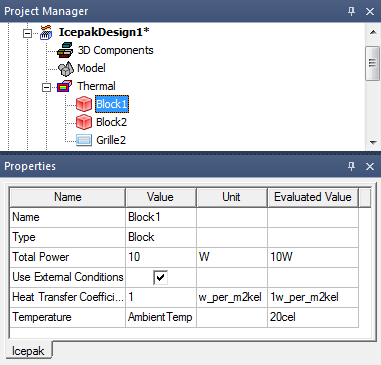
This chapter begins with an overview of assigning Icepak thermal boundary conditions and describes their associated thermal properties. Icepak thermal boundary conditions are as follows:
- Block
- Grille
- Network
- Opening
- Plate (Adiabatic and Conducting)
- Resistance
- Source
- Wall (Stationary and Symmetry)
- EM Surface and Volume Loss
- Blower
 | Click here for scripting information related to this feature. |