Circuit Elements in HFSS
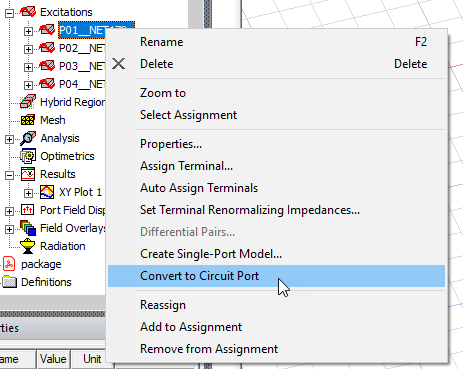
HFSS supports the creation of circuit elements using lumped ports or circuit ports in both driven modal and terminal solution types. Circuit ports are allowed with the DDM solver, including FEBI and IE Hybrid Regions. You can directly convert a selected lump port to a circuit port and from a circuit port to a lump port.
You can import N-port models a from a library of previously created Touchstone files for the S-matrix or link to projects from HFSS, Q3D, 2D Extractor, or SIwave. Within the approach of using touchstone files in HFSS the port inductance is present as added in series to the embedded touchstone file. In case the port inductance deembedding is intended then this needs to be done manually with the touchstone file as this will not be done within HFSS. You can create models as Parametric N-port models or use Nexsys Matlab models. You can also convert Circuit Elements back to lump ports in the HFSS project.
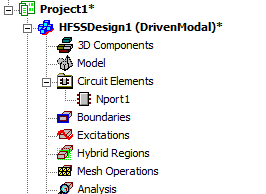
A folder named Circuit Elements appears in the Project tree where the circuit elements are added.
There are three cases to consider when you create these circuit elements:
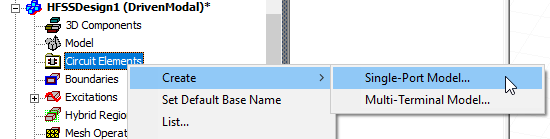
- Single-Port Model definition: A 1x1 or 2x2 S-matrix that requires you to select a single lumped port or circuit port to create the circuit element.
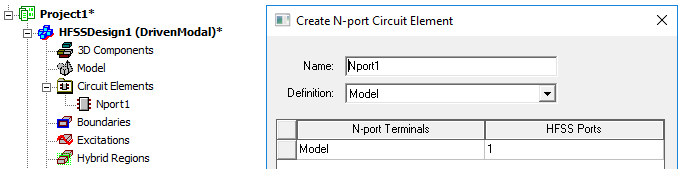
- Multi-Terminal Model definition: An S-matrix 2x2 or higher that would require you to select the corresponding number of lumped ports or circuit ports.
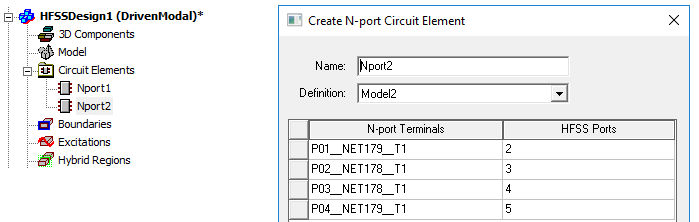
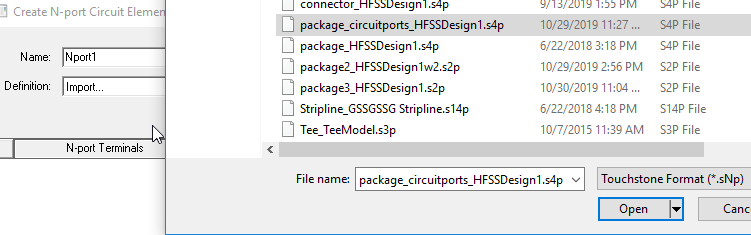
- Touchstone file import for circuit elements.
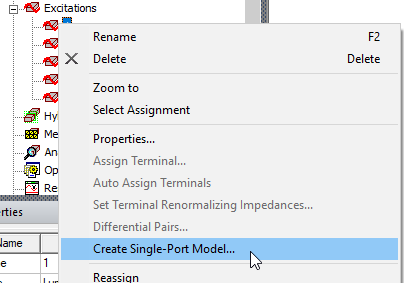
In the case of a Single-Port Model, you can also access the menu by right-clicking on a lump port in the Project tree.
When you change a lump port to a circuit model, the selected port or ports are removed from the Excitations list as the models are displayed under the Circuit Elements list. The port post processing setting will not be effective once converted to circuit element.
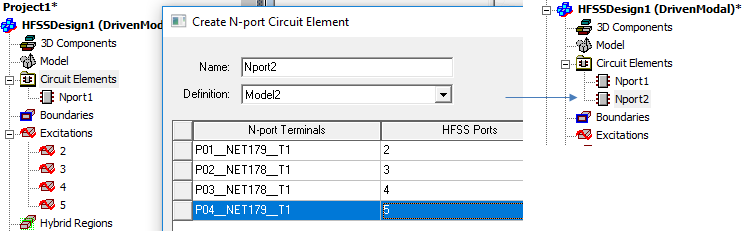
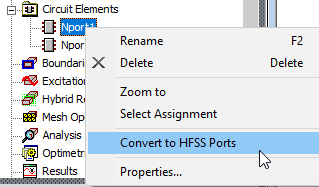
You can change a circuit element to an HFSS port.
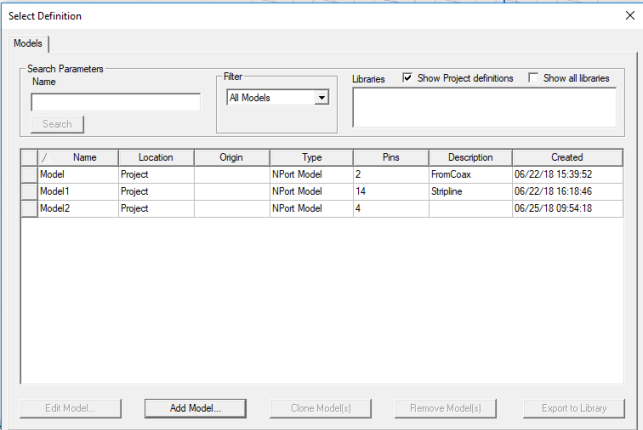
You can also Create Models and Manage Circuit Model Libraries.
Prerequisites/Limitations
- Designs must be Driven Modal or Driven Terminal.
- Existing lump ports or circuit ports can be changed to circuit elements.
- Only passive S-parameter model is supported.
- Fast sweep is not supported.
- Sensitivity analysis is not compatible with circuit elements. The solver detects unsupported use and issues a warning and returns zero for the derivatives.
- 3D Components created from these designs include the circuit elements. The Create 3D component dialog has a Circuit Elements tab for these designs.
Beta Feature: De-embedding for Circuit Elements
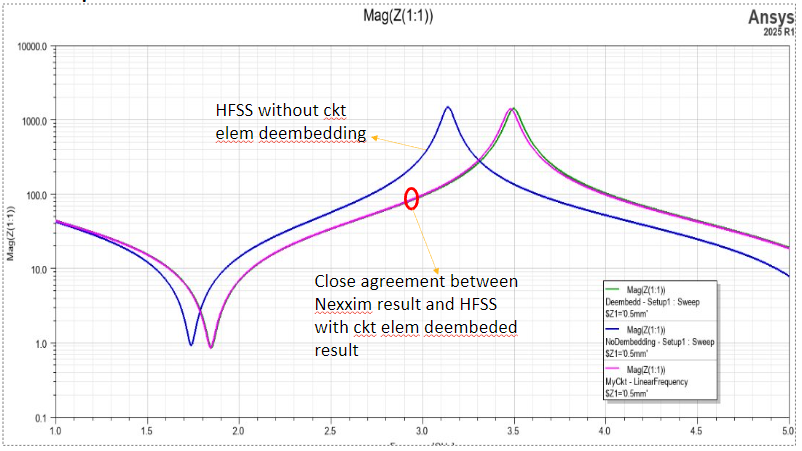
A Beta Feature allows de-embedding for Circuit Elements. For long and narrow circuit elements, the final S-parameters could show some difference. If you enable the HFSS Solver Beta option for HFSS Deembed circuit elements, all of the circuit elements in the geometry will be deembedded.
With the feature enabled, you can solve in HFSS and account for deembedding.
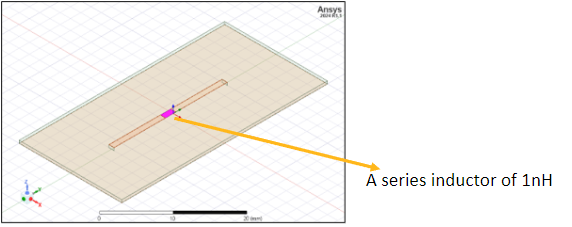
Compared to solving without deembedding for this kind of circuit, HFSS solve with deembedding is comparable to a Nexxim solve.