
Multiphase VRM
Voltage Regulator Modules (VRMs) supply near-constant DC voltage to subsystems on a board, such as the CPU or memory. Some VRMs make use of remote sense lines to monitor the voltage at their load. This allows them to use feedback to maintain a more stable voltage at the point in the power delivery network where current is being drawn, even if that current varies widely depending on the system's activity level. Some VRMs use multiple phases, and have more than one chip (power module) supplying current to the load. This has advantages in terms of component prices, heat management, and failure tolerance. VRMs with multiple phases try to balance the currents across phases and try to keep the current in each phase nearly the same.
Some VRMs also have a separate chip (control module) that monitors the load voltage as well as the phase currents and sends out control signals to adjust the output voltage and balance the phase currents. In some designs this control capability is built into the power modules themselves.
You can define multiphase VRMs and run the DC IR simulation. SIwave can compare current and power output at each VRM phase to ensure that values are in balance. These values can also be compared against the simulation results generated by modeling the VRMs using voltage sources.
To create a multiphase VRM:
- At each VRM component, combine the positive output pins into a pin group. Combine the negative output pins into another pin group.
- Select each VRM reference designator by clicking on the component bounding box.
- Right-click and select Create Multiphase VRM.
If this option is not enabled, ensure that only reference designators with the same part name are selected.
Alternate method to create a multiphase VRM:
- Click Advanced.
- From the Other Edit Tools area, click Multiphase VRMs.
- Click Add.
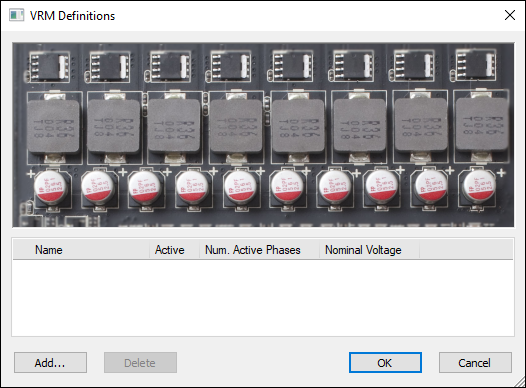
The VRM Definitions window appears.
A VRM group is added and appears in the list.
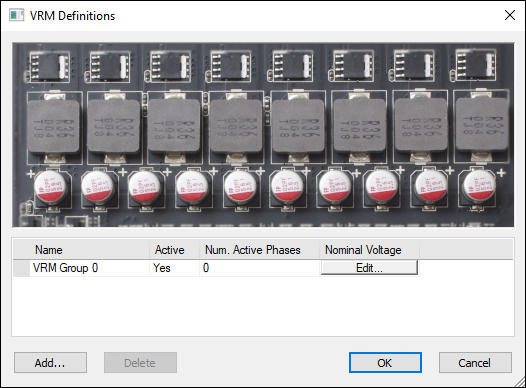
To edit a multiphase VRM from the VRM Definitions window:
- Click Edit next to the group you would like to edit.
- From the Group name field, enter a name.
- Specify the Number of phases. Phases appear as rows in the Power Modules list.
- For each phase, click the cells to define the Part, Reference Designator, Active/Inactive status, pin numbers for the Positive (+) Output Terminal and Negative (-) Output Terminal, and a Relative Strength.
- From the Remote Sense Pins area, use the drop-down menus to select the positive and negative remote sense pins. Alternatively, click Select in layout and click the pin in the Modeling workspace.
- If appropriate, change the values for Nominal voltage and Load regulation.
- Nominal Voltage is what the output voltage should be with zero load current. It is an appropriate voltage difference between the positive and negative sense pins; the VRMs adjust their output voltage to meet this value within tolerance.
- Load regulation is how much the output voltage of a single power module varies from its nominal value for a given load current. The voltage variation is entered as a percentage of the output voltage.
- Click OK to complete the multiphase VRM definition.
- Run the DC simulation.
The Multiphase VRM Definition window appears.
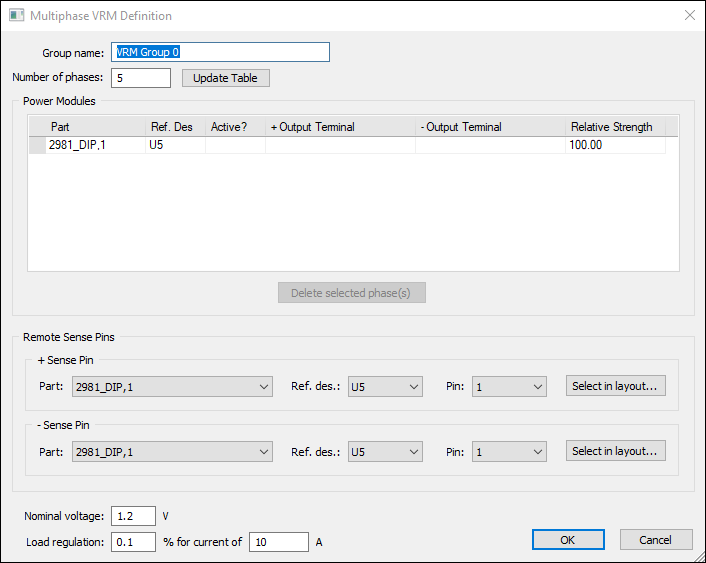
If positive and negative net names are recognized, the + Output Terminal and - Output Terminal columns automatically populate VRM pin groups.
This group is a collection of ICs that constitutes a multiphase voltage regulator. Typically, it consists of several power module ICs (one per phase) that source the output currents to the load. In some designs there may be a controller IC that monitors the load voltage and phase currents and sends out control signals to the power modules.
For Relative Strength, all power modules are nominally expected to supply the same output current, but in reality will have small differences. Manufacturers often specify a current sharing accuracy (example: +/- 10%). Different relative strengths for each phase allow you to model such differences. These are expressed as a percentage, with a default value of 100% (exactly matched strength). You can raise or lower these percentages as needed, even dropping them to zero to model a failure of one power module. A strength of 100% is normal strength; a phase with 90% strength will supply only 0.9 times the normal current. The voltage actually produced by the VRM will vary from the nominal value depending on how much load current is being drawn and how many phases are used. The variation can be estimated from the load regulation data entered:
Change in Vout = (load regulation fraction) x (nominal voltage) x (actual output current) / ((current in load regulation spec) x (number of phases))
Each VRM group has remote sense lines to monitor the load voltage. There is both a positive and negative sense line and they are connected to pins of a component. You can specify the part number and reference designator for the control module IC (if a separate one is used; otherwise, identify one of the power modules) and the pins that are used for remote voltage sensing.
The current and power output at each active VRM phase should match.