
Viewing Impedance Scan Results
To view Impedance Scan results:
- Click Results.
- From the SIwave area, select Impedance Scan > [Simulation Name].
- Select the type of results you would like to view.
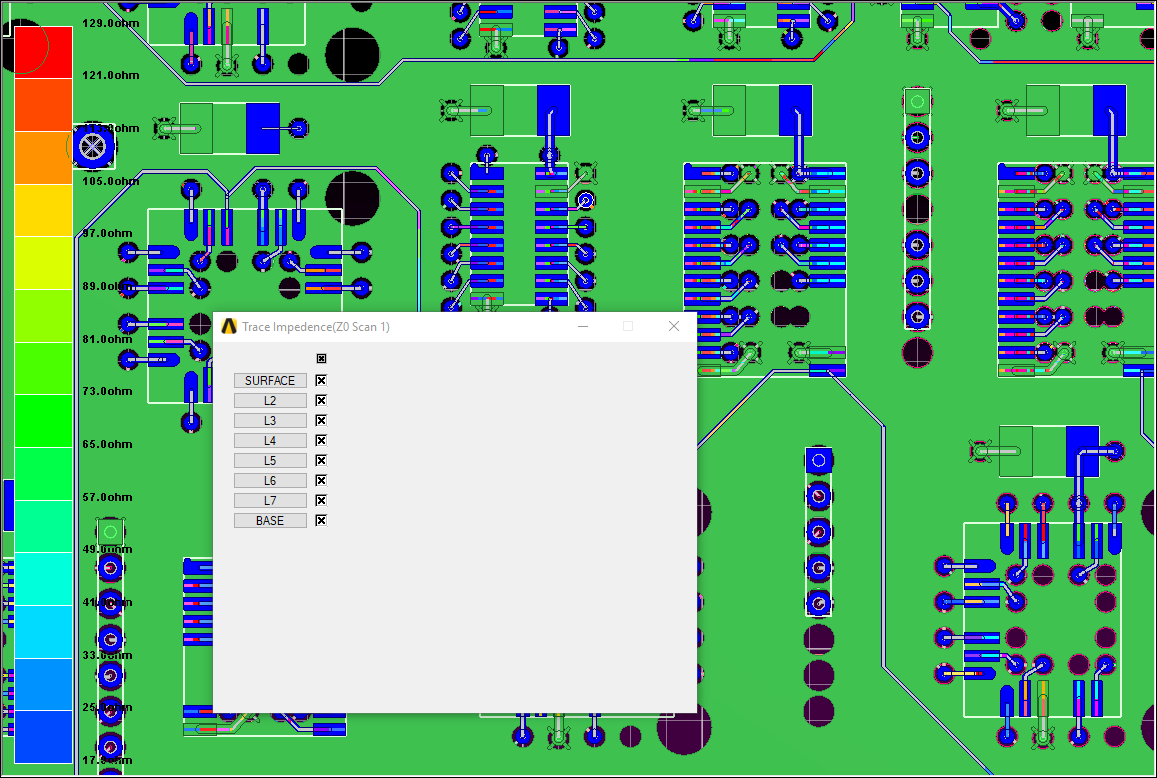
- Display/Hide Trace Impedance – toggles an impedance color legend and highlights traces according to that legend. The Trace Impedance window allows you to select specific layers for which to view information.
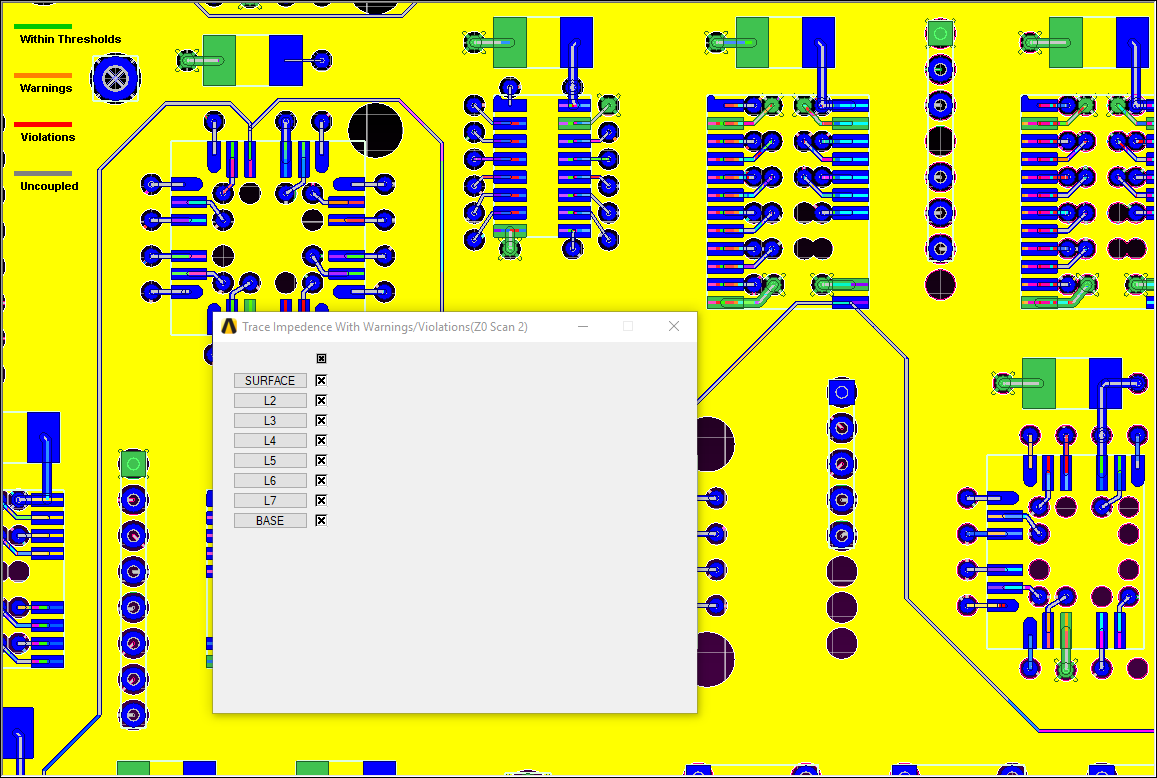
- Display/Hide Warnings and Violations – allows you to toggle highlights for warnings/violations. When selected, traces within threshold are highlighted green, those with warnings are highlighted orange, those with violations are highlighted red. Traces belonging to differential nets that are not coupled are highlighted in gray.
- Display/Hide Coupled Structures – toggles display of coupled structures in the Modeling workspace.
- View Warnings and Violations – displays a table of warnings and violations that can be exported. You can adjust the nominal impedance and violation/warning thresholds from this window.
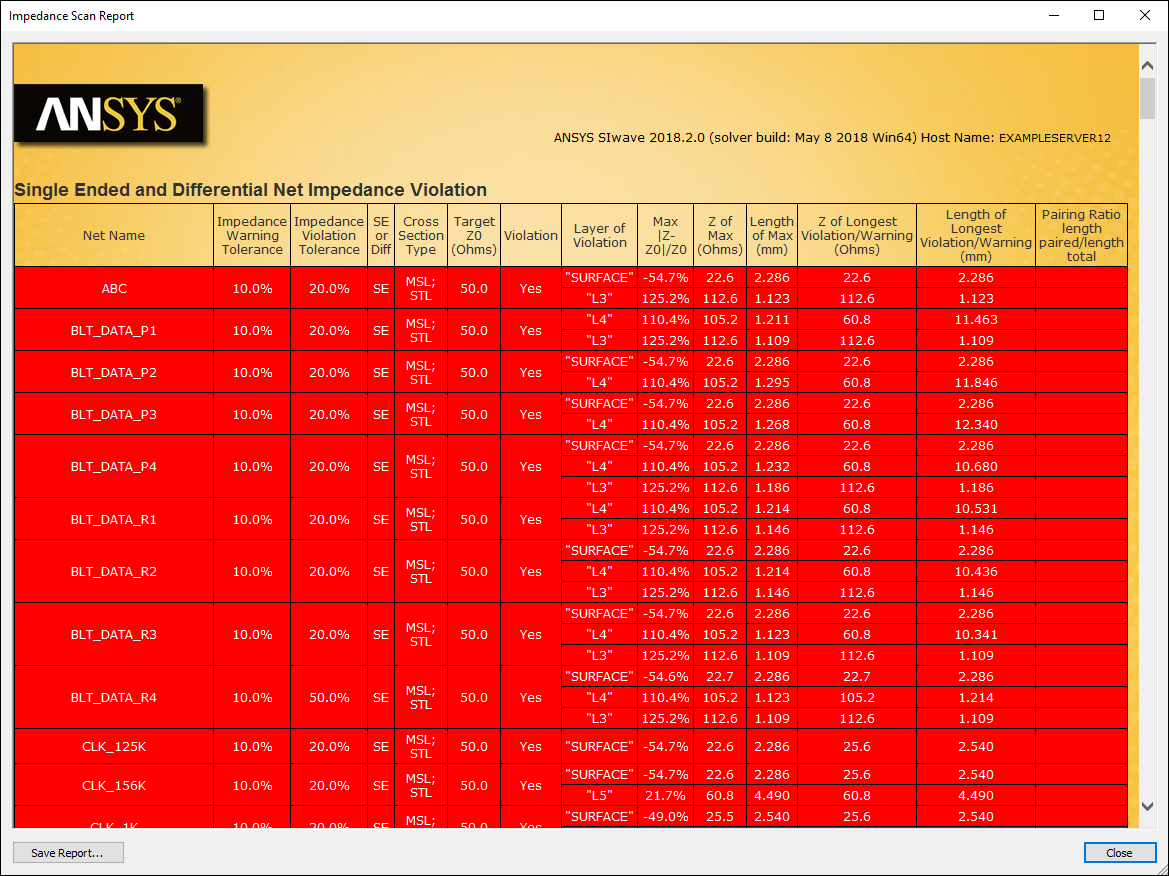
- View Scan Report – opens an HTML report listing nets in violation (red), nets with warnings (orange), and nets within thresholds (green). You can save this report.
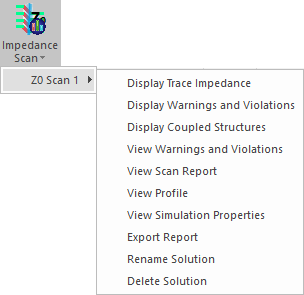
Result menu options include:
Display Trace Impedance:
Display Warnings and Violations:
View Violations and Warnings:
For every net:
- A line segment shows neither a warning nor a violation when its impedance is within the warning threshold percentage of nominal impedance (either above or below).
- A line segment shows a warning when its impedance is greater than or less than the warning threshold, but within the violation threshold percentage of nominal impedance.
- A line segment shows a violation when its impedance is greater than or less than the violation threshold percentage of nominal impedance.
For example, given a nominal impedance of 50 ohms, a 10% warning threshold, and a 20% violation threshold:
- Impedance of 45-55 ohms = no warning or violation
- Impedance of 40-44 ohms = warning
- Impedance of 56-60 ohms = warning
- Impedance of 0-39 ohms = violation
- Impedance of 61+ ohms = violation
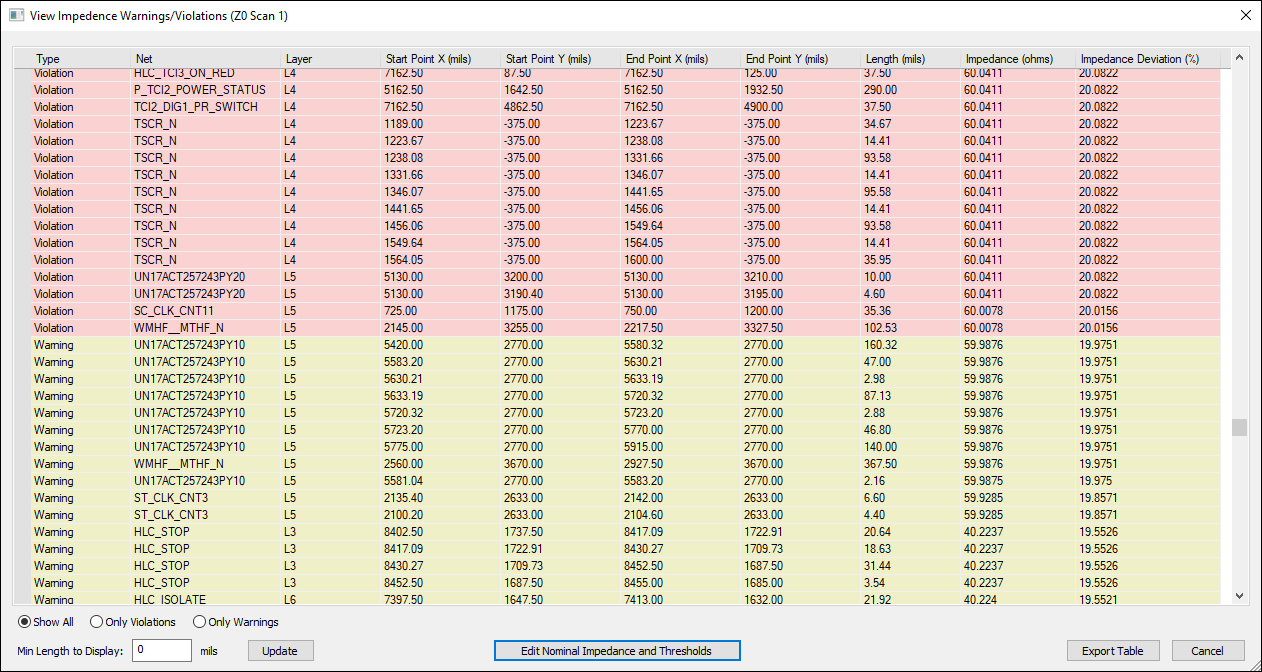
This window allows you to Show All violations and warnings, or display Only Violations or Only warnings.
- Click Edit Nominal Impedance and Thresholds to change violation and warning thresholds.
- Edit the Min Length to Display and click Update to change which line segments display.
- Click Export Table to export the information in CSV format.
View Scan Report:
From the Impedance Scan Results menu, you can also export results or access additional menu options.